
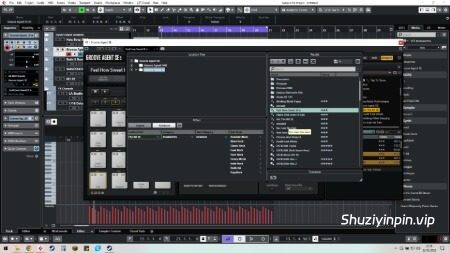
iamdumb | 05 November 2026 | 7 MB
安装方法:
使用说明:
1. 安装/更新上方列表中您选择的任意 Steinberg 应用。
2. 运行补丁程序。注意:
– SIP 可以开启。
– 如果您之前已为 Steinberg 应用打过补丁,请重新安装应用并重新运行此补丁程序。
– 此补丁程序改编自 VR 的 x86 补丁,并在此致谢。
– 您需要安装 Xcode 命令行工具才能运行此补丁程序。请在终端中粘贴以下命令:xcode-select –install。
更新说明:
补丁程序已更新,支持 Cubase 16。
在 Steinberg 更改保护措施之前,应该可以在未来的版本中正常工作。
兼容以下软件:
•Cubase 16
•Cubase 15
•Cubase 14
•Cubase 13
•Nuendo 15
•Nuendo 14
•Nuendo 13
•Nuendo Live 3
•SpectraLayers 13
•SpectraLayers 12
•SpectraLayers 11
•SpectraLayers 10
•Dorico 6
•Dorico 5
•WaveLab 13
•WaveLab 12
•WaveLab 11
•HALion 7
•HALion Sonic 7
•Padshop 2.2
•Retrologue 2.3
•Groove Agent 5
•Groove Agent SE 5
•VST Live
•VST Live 2
•VST Live 3
•Backbone 1.6
•Montage M
Should work on future versions until Steinberg changes protection
Works with
•Cubase 16
•Cubase 15
•Cubase 14
•Cubase 13
•Nuendo 15
•Nuendo 14
•Nuendo 13
•Nuendo Live 3
•SpectraLayers 13
•SpectraLayers 12
•SpectraLayers 11
•SpectraLayers 10
•Dorico 6
•Dorico 5
•WaveLab 13
•WaveLab 12
•WaveLab 11
•HALion 7
•HALion Sonic 7
•Padshop 2.2
•Retrologue 2.3
•Groove Agent 5
•Groove Agent SE 5
•VST Live
•VST Live 2
•VST Live 3
•Backbone 1.6
•Montage M
Instructions:
1. Install/update any Steinberg app of your choice stated in the list above
2. Run the patcherNote:
– SIP can be on
– If you have previously patched Steinberg apps, reinstall app(s) and rerun this patcher
– Adapted from and credit to V.R.’s x86 patch
– You need xcode command line tools installed for this patcher to work. Paste this in terminal:xcode-select –install
UPDATE NOTES:
Patcher has been Updated for Cubase 16






评论0