
Team BTCR | 22 March 2026 | 233.65 MB
安装方法:
Windows:
将 “License.key” 复制至:
%LOCALAPPDATA%\LicenseSpring\remidi-4/
MacOS:
将 “License.key” 复制至:
~/Library/Application Support/LicenseSpring/remidi-4/
请特别留意:路径为 ~/Library,而非 /Library。
如果是全新安装,您可能需要手动创建上述完整路径中的文件夹;如有需要,请按此操作。
[/su_spoiler]reMIDI 4:提升您的 MIDI 作品,摆脱音乐创作的瓶颈。
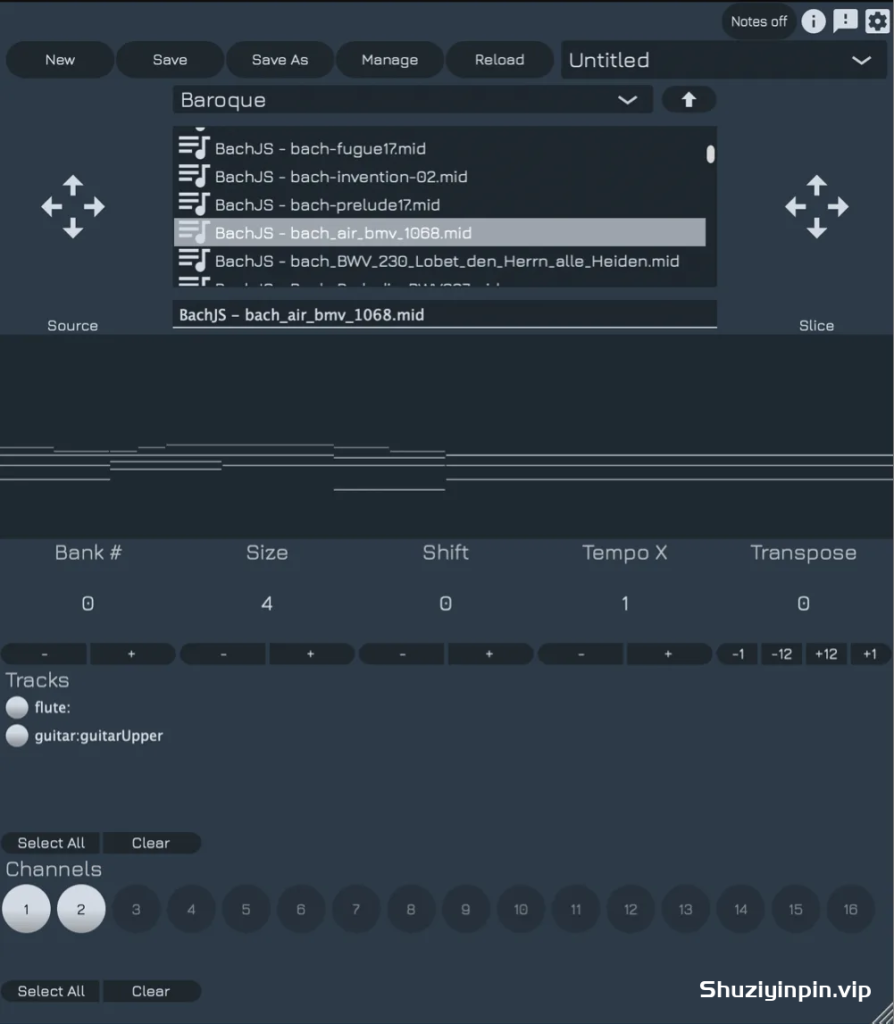
您是否经常发现自己陷入重复编排相同旋律或节奏的困境,苦苦寻找为您的作品增添新意的方法?编辑大量的 MIDI 文件既繁琐又耗时,尤其是在没有快速预览片段和获取灵感的方法时。reMIDI 4 就是您的音乐创作秘密武器。
旋律与鼓的采样器
想象一下,拥有一个可以同时处理旋律和鼓点的采样器。有了 reMIDI 4,您可以抓取任何乐句或鼓点,将其剪切并重新编排。无限可能,尽在掌握!
reMIDI 4: Elevate Your MIDI Compositions Break Free from Musical Ruts
Ever find yourself stuck rearranging the same melodies or beats, searching for ways to spice up your tracks? Editing large quantities of MIDI can be tedious and time-consuming, especially without a way to quickly preview sections and get instant inspiration. Say hello to reMIDI 4—your secret weapon for musical creativity.
A Sampler for Melodies and Drums
Imagine having a sampler that works with both melodies and drum patterns. With reMIDI 4, you can grab any musical phrase or drum groove, chop it up, and rearrange it. The possibilities are exciting!
![[更新] Apple Logic Pro Creator Studio v12.3.1 FiXED ARM-EDiSO [MacOSX]](https://www.shuziyinpin.vip/wp-content/uploads/2026/09/Apple-Logic-Pro-Creator-Studio-v12.3.1.png)
![[多引擎虚拟乐器合成器播放器插件] ROLI Studio Player 1.4.1-HCiSO [MacOSX]](https://www.shuziyinpin.vip/wp-content/uploads/2026/09/ROLI-Studio-Player.png)
![[节奏故障引擎插件] AtrumLab Rumor v1.0.0-GAMESENSE [MacOSX]](https://www.shuziyinpin.vip/wp-content/uploads/2026/09/AtrumLab-Rumor.png)
![[实时循环合成器 ] 10K Audio Gyro Pro v1.2.0-V.R [WiN, MacOSX]](https://www.shuziyinpin.vip/wp-content/uploads/2026/09/10K-Audio-Gyro-Pro.png)
![[现代地下说唱音乐一体化软削波器] Smokey Beats CHOKE ® v1.0.1-GAMESENSE [MacOSX]](https://www.shuziyinpin.vip/wp-content/uploads/2026/09/smokey-beats-choke.jpeg)
![[合成器&效果器合集] Togu Audio Line Plugins 2026.09 Incl Patched and Keygen-R2R [WiN]](https://www.shuziyinpin.vip/wp-content/uploads/2026/07/togu-audio-line-plugins.png)

评论0