
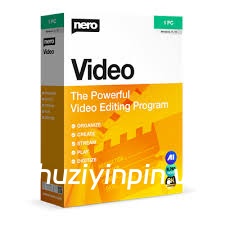
P2P | December 2025 | 1.06 GB
安装方法:
– 安装已预先设置好的程序,所有功能均已激活。
* 要支持 Nero Video 解码 HEVC 文件,需要购买额外的插件。
您的完整视频编辑解决方案:运动跟踪、高清、4K 和 8K 多轨道编辑、AI 支持的媒体管理、支持竖屏视频以及强大的专业特效,例如绿幕和画中画。根据您的需求进行定制——现在您还可以选择浅色或深色模式。
轻松管理:
将移动设备、外置硬盘、U盘、摄像机以及高清和 4K 相机中的视频和图像文件导入您的电脑。通过 Nero MediaHome 软件将它们集中存储在您的媒体库中,以便进一步编辑,并可获取丰富的信息,例如录制日期、地点或人物。现在,您还可以快速存档和观看您的电影和电视剧。影片标题和海报会自动生成。新增功能:访问您的“OneDrive”在线文件(按需文件),仅在项目需要时下载图片、视频和音乐。这可以节省您电脑上的大量存储空间。
创作:
让您的镜头成为焦点:一键视频故事功能让您快速创建完美的影片和幻灯片。音乐、特效、片头片尾一应俱全,您可以瞬间分享您的影片。通过简易或高级视频编辑功能,以及移轴、老电影、慢动作、标题、转场、音频滤镜、关键帧动画等无数特效,轻松吸引观众。全新一键去除黑边功能,让您轻松美化照片和视频素材,打造最佳大屏观影体验。
模板:
快速轻松地创建专业视频:超过 1000 个影片模板和其他特效,让您的视频更具个性化。借助包含特效投放区的全新影片模板,您可以自动创建家庭、庆典、儿童、旅行、动作等主题的专属影片。宽屏电视上的黑边已成为过去。即使是智能手机中的竖屏视频和照片,也可以轻松导入为竖屏视频,并通过竖屏视频模板进行编辑和完美排版。
导出和刻录:
为观众带来最佳影片体验:Nero Video 软件在格式选择方面也毫不妥协。以最高画质编辑 4K、全高清和标清影片。甚至可以一次性导出长片中的单个场景。使用众多主题的高品质光盘菜单,为您的 DVD 视频™ 和蓝光光盘™ 锦上添花。然后,使用 Nero CoverDesigner 软件设计您心仪的光盘封面,并在客厅的 DVD 和蓝光播放器上,通过菜单和章节选择功能,专业地播放您的视频光盘。
流媒体播放
把客厅变成家庭影院:Nero Video 软件拥有媲美奥斯卡级别的流媒体功能,绝对让你满意。想在电视上播放幻灯片或视频,在智能手机上播放媒体库中的音乐,在平板电脑上观看视频?免费应用 Nero Streaming Player 就能帮你轻松实现。此外,还有同样免费的 WiFi Transfer 应用,可以让你无线传输移动设备和电脑上的视频和图片。这两款应用均支持 iOS 和 Android 设备。随时随地,
想看
就看:早晨、中午或晚上,想看就看——各种格式的音频和视频文件,想看就看。播放照片、精美幻灯片、DVD 视频和 4K/超高清视频,现在更加便捷。你还可以像在黄金时段一样,轻松管理和播放你的电影和电视节目收藏。
Your complete solution for video editing: Motion tracking, multi-track editing in HD, 4K and 8K, AI-supported media management, support for portrait videos and powerful professional effects such as green screen and picture-in-picture. Customized to your needs – now you can also choose between light and dark mode.
Manage
Bring your videos and image files from mobile devices, external hard drives, USB sticks, camcorders, and HD and 4K cameras to your computer with ease. Store them centrally in your media library from the Nero MediaHome software for further editing with a wealth of information such as the date of recording, locations, or people depicted. Now you can also archive and watch your movies and TV series in a flash. Film titles and posters are created automatically. New: Access your “OneDrive” online files (Files On Demand) and download your pictures, videos and music only when you need them for your project. This saves you a lot of storage space on your PC.
Create
Put your shots in the spotlight: 1-Click Video Story lets you create perfect movies and slideshows in no time. Complete with music, effects, entry and exit, you can share your movies in a flash. Captivate your audience with express or advanced video editing with countless effects like tilt shift, old movie, slow motion, titles, transitions, audio filters, keyframe animations and more. With the new 1-click bar remover, you’ll be able to spruce up your photo and video footage and get it ready for the optimal big-screen movie experience.
Templates
Quickly and easily create professional videos: With over 1000 movie templates and other effects, you give your videos a very personal touch. With the new various movie templates including effect drop zone, they automatically create their own personal movies on topics such as family, celebrations, children, travel, action and more. Black bars in widescreen TV are now a thing of the past. Even vertical videos and photos from your smartphone can be easily imported as a vertical video, edited and perfectly staged thanks to vertical video templates.
Exporting and burning
Best movies for happy viewers: Nero Video software doesn’t compromise on format selection either. Edit movies in the highest quality in 4K, Full HD, and SD. Even export individual scenes from long movies in one go. Add the finishing touches to your DVD Videos™ and Blu-ray Discs™ with numerous high-quality disc menus on many themes. Then design your disc covers to your taste with Nero CoverDesigner software and play your video disc professionally with menu and chapter selection on the DVD and Blu-ray player in your living room.
Streaming
Turn your living room into a cinema: The Nero Video software convinces with Oscar-worthy streaming functions. Slideshows or videos on the TV, music from your media library on your smartphone, videos on your tablet? All possible with the free app Nero Streaming Player. With the app WiFi Transfer, which is also free, you can transfer your videos and pictures wirelessly from your mobile device to your PC and vice versa. Both apps are available for iOS and Android devices.
Playback
Choose when it’s primetime: morning, noon or night – play audio and video files in a variety of formats when you feel like it. Playing photos, elegant slideshows, video DVDs and 4K/Ultra HD videos is now even easier. You can also easily manage and play your archive of movies and TV shows, just like primetime.
![[扒带神器] Transcribe! v9.70 (x64) [WiN]](https://www.shuziyinpin.vip/wp-content/uploads/2025/07/Transcribe.png)
![[全球最佳 DJ 软件] Serato DJ Pro Suite v4.0.10 [WiN]](https://www.shuziyinpin.vip/wp-content/uploads/2025/11/Serato-DJ-Pro-Suite-v4.0.0-1024x633.png)
![[专业音频和音乐编辑器] Gilisoft Audio Editor v3.3 [WiN]](https://www.shuziyinpin.vip/wp-content/uploads/2026/07/Gilisoft-Audio-Editor.png)
![[普通人的游戏音乐创作神器] 1BitDragon v5-ARCADiA [MacOSX]](https://www.shuziyinpin.vip/wp-content/uploads/2026/09/1BitDragon-v5.png)
![[最受欢迎的人工智能(AI)DJ软件] Atomix VirtualDJ 2026 Pro Infinity v8.5.9644 Incl Patched and Keygen-R2R [WiN]](https://www.shuziyinpin.vip/wp-content/uploads/2026/04/atomix-virtualdj-2026-pro-infinity.jpeg)
![[专业DJ演奏工具] Algoriddim djay Pro 5.6.9-TNT [MacOSX]](https://www.shuziyinpin.vip/wp-content/uploads/2024/10/14122315_algoriddim-djay-pro.png)

评论0