
特别推荐
[水果全插件版+附加组件+FLEX Pack] Image-Line FL Studio Producer Edition v26.1.7.5654-Audiowarez [WiN]
[水果全插件版] Image-Line-FL Studio Producer Edition v26.1.4.5356-GUISEPPE [MacOSX]
[Flex完整扩展包] Image-Line FLEX Complete Expansion Bundle v07.2026-Warez_Down & iNVINCIBLE
[Flex完整扩展包]Image-Line FLEX Complete Expansion Bundle v2025.02 UNLOCKED
[ 6 个全新 FLEX 包]Image-Line FLEX Pack Bundle by UVI v2025.02 UNLOCKED [Synth Presets]
P2P | November 2026 | 120.5 MB
安装方法:
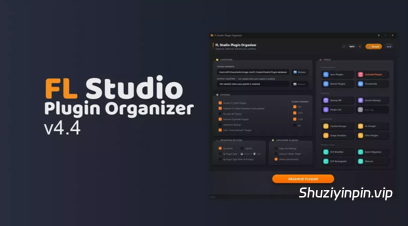
掌控您的 FL Studio 插件库。4.4 版本新增了插件格式筛选器、内置插件宿主、批量缩略图捕获以及一键修复“插件缺失”错误的功能。
4.4 版本新增功能:
插件筛选器
您可以选择每个插件在 FL Studio 插件列表中保留哪些格式(VST、VST3、CLAP、AU)。
– 搜索插件并仅显示具有两种或两种以上格式的插件
– 批量操作:仅保留 VST、仅保留 CLAP、保留所有格式
– 保存后立即应用。无需运行“整理插件”程序。
内置插件宿主和缩略图生成器
– 无需打开 FL Studio 即可宿主 VST2、VST3 和 CLAP 插件(64 位)
– 捕获的内容会裁剪到插件自身的编辑器中,没有标题栏或边框
– 双击插件即可打开并自动捕获其缩略图
– 支持 Waves shell 插件
– 后台辅助程序可确保后续插件在 2 秒内打开(第一个插件大约需要 10 秒)
批量捕获
– 一次运行即可捕获多个插件的缩略图
– 显示进度条、剩余时间、每个插件的实时状态以及最新捕获的预览
– 可随时取消
– 失败会显示原因,“选择失败”按钮允许您重试
FLP 修改器
– 在 Organizer 的宿主中打开项目中的任何插件,并加载项目已有的设置
– 编辑会自动排队(显示为“已编辑:预设”),并支持一键撤销
– 只有在单击“保存 FLP”时才会写入更改。您的原始项目不会被修改。
– 也适用于混音器视图插槽(右键单击 → 打开插件编辑器)
– 可编辑信息栏:直接更改速度、拍号和 PPQ。速度支持鼠标滚轮、拖动、按住 Shift 键进行微调,以及右键单击使用 FL Studio 的速度预设。
– 注意:更改 PPQ 只会更新存储的值。音符和片段不会被重新缩放。修复缺失
的插件
修复插件实际安装后(移动、重命名或重新安装到另一个驱动器)出现的“插件缺失”错误。
– 检查项目中的每个插件并查找已安装的副本
– 准确显示对每个插件的操作:修复、选择一个、格式不同或未安装
– 格式相同:仅路径更改,因此预设和设置保持不变
– 格式不同:在 VST2 和 VST3 之间双向转换已保存的设置(实验性行已明确标记)
– 保存修复后的副本。您的原始文件保持不变。
批量迁移
– 新增“保存报告”按钮:可将每个项目的结果导出为 Markdown 或 CSV 文件。
安全改进
– FLP 修改器、FLP 降级和批量迁移现在会在保存前更严格地验证结果。
– 如果插件设置将变得无法读取或项目将损坏,则保存操作将被拒绝,您的文件将保持不变。
– 批量迁移会跳过运行期间磁盘上发生更改的任何项目。
修复和改进
– 修复了“从我的项目自动构建”中的按钮截断问题
– 更可靠地读取 FL Studio 26 项目
– 未更改的项目将以字节对字节相同的方式写回
– 使用存储的包装器数据,在更多情况下检测插件名称
Take control of your FL Studio plugin library. Version 4.4 adds a plugin format filter, a built-in plugin host, batch thumbnail capture, and a one-click fix for “plugin is missing” errors.
WHAT’S NEW IN v4.4
FILTER PLUGINS
Choose which formats (VST, VST3, CLAP, AU) stay in FL Studio’s plugin list, per plugin.
– Search plugins and show only those with two or more formats
– Bulk actions: Keep only VST, Keep only CLAP, Keep all formats
– Applies instantly on Save. No need to run Organize Plugins.
BUILT-IN PLUGIN HOST & THUMBNAIL GENERATOR
– Host VST2, VST3 and CLAP plugins (64-bit) without opening FL Studio
– Captures are trimmed to the plugin’s own editor, with no title bar or border
– Double-click a plugin to open it and capture its thumbnail automatically
– Waves shell plugins supported
– A background helper keeps later plugins opening in under 2 seconds (the first takes about 10)
BATCH CAPTURE
– Capture thumbnails for many plugins in one run
– Progress bar, time remaining, live status per plugin, and a preview of the latest capture
– Cancel at any time
– Failures show the reason, and “Select failed” lets you retry them
FLP MODIFIER
– Open any plugin from your project in the Organizer’s host, loaded with the settings the project already holds
– Edits are queued automatically (shown as “Edited: Preset”) with a one-click Undo
– Changes are written only when you click Save FLP. Your original project is never modified.
– Works for Mixer View slots too (right-click → Open Plugin Editor)
– Editable info bar: change Tempo, Time Signature and PPQ directly. Tempo supports mouse wheel, drag, Shift for fine steps, and right-click for FL’s tempo presets.
– Note: changing PPQ only updates the stored value. Notes and clips are not rescaled.
REPAIR MISSING PLUGINS
Fixes the “plugin is missing” error when the plugin is actually installed (moved, renamed, or reinstalled on another drive).
– Checks every plugin in the project and finds the installed copy
– Shows exactly what it will do for each plugin: Will fix, Pick one, Different format, or Not installed
– Same format: only the path changes, so presets and settings stay intact
– Different format: converts saved settings between VST2 and VST3 in both directions (experimental rows are clearly marked)
– Saves a repaired copy. Your original is left untouched.
BATCH MIGRATION
– New Save Report button: export a per-project result as Markdown or CSV
SAFETY IMPROVEMENTS
– FLP Modifier, FLP Downgrade and Batch Migration now verify results more strictly before saving
– A save is refused if plugin settings would become unreadable or the project would be damaged, and your file is left untouched
– Batch Migration skips any project that changed on disk while it was running
FIXES & IMPROVEMENTS
– Fixed cut-off buttons in Auto-build from my projects
– More reliable reading of FL Studio 26 projects
– Unchanged projects are written back byte-for-byte identical
– Plugin names are detected in more cases using stored wrapper data





评论0