
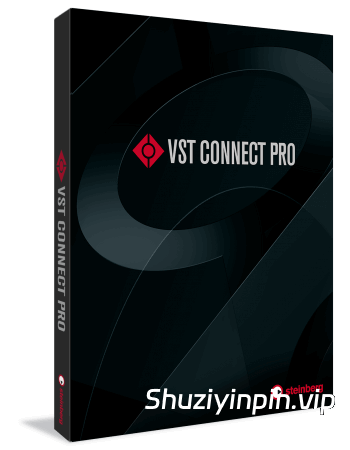
P2P (V.R Unlocker) | January 2026 | 121 MB
安装方法:
VST Connect Pro 是一款功能齐全的远程录音解决方案,无论身处地球何处,都能以专业品质录制配音演员、音乐家或其他表演者的声音。
• 最多可录制 16 个通道,采样率高达 192 kHz
• 支持 MIDI 和 VST3
• 传输无损音频文件
• 包含监听混音功能,实现最佳录音效果
音乐无界限
VST Connect Pro 让您的工作室不再局限于物理空间,而是覆盖全球。任何拥有电脑、网络连接和免费 VST Connect Performer 应用的音乐家,即使身处不同的洲,也能直接在您的 DAW 上进行录音,因为 VST Connect Pro 让距离不再成为障碍。不仅如此,您还可以与录音师进行视频通话,制作人可以完全控制连接两端的录音会话,包括监听混音和对讲音量。
音乐人专属多轨录音
无论演奏者身在何处,都能进行实时远程录音,未压缩的音频文件会在后台自动加载。您无需担心网络连接——所有 VST Connect Performer HD 录音都保存在音乐人的本地硬盘上,并可随时重新加载到 VST Connect Pro 中。您也无需担心安全问题,因为独特的加密系统确保您的作品始终属于您。
全球 MIDI 连接
VST Connect Pro 允许您从加载到 VST Connect Performer 中的 VST 乐器实时录制 MIDI 和音频数据,无论身处世界何地。艺术家甚至可以连接 MIDI 控制器,由会话管理员直接在 Cubase 中录制传入的 MIDI 数据以及来自 VST 乐器的音频流。
它还支持双向传输——通过 VST Connect,将来自 Cubase 项目的 MIDI 数据发送到任何兼容 MIDI 的乐器或连接到远程 VST Connect Performer 实例的 VST 乐器,并录制传入的音频信号。
自动对白替换 (ADR)
VST Connect Pro 5.5 是您远程 ADR 的核心工具,可让您轻松经济地从世界任何地方录制配音演员和拟音。作为 Nuendo 集成式基于位置的 ADR 系统的理想补充,VST Connect Pro 5.5 集成了一套 ADR 工具集,可满足配音演员的最高要求,包括唇形同步视频播放、滑动和计数功能、提示功能等等。为了简化操作,配音演员甚至无需运行 DAW。小巧的 VST Performer 应用程序即可满足他们的所有需求。
设置 VST Connect Performer
安装并启动 VST Connect Performer 应用程序。请勿启动您的 DAW 或其他音频应用程序。在“您的姓名”字段中输入您的姓名,在“密钥”字段中输入您从远程工程师或制作人处收到的密钥编号,然后单击“连接”按钮……就完成了!或者,您可以使用 MySteinberg 帐户登录,直接在 VST Connect 中找到您的合作者。
完美集成,快速启动录音
VST Connect Pro 为您带来梦寐以求的全功能远程录音解决方案,包括与 Cubase Pro 和 Nuendo 的完美集成。您可以立即启动远程录音会话,所有操作均自动完成,包括路由分配、插件设置等等。VST Connect Pro 还充分利用了宿主应用程序的控制室功能,让您可以完全访问对讲通道和其他功能,使远程录音操作如此直观。
Studio Pass
无论客户身在何处,您都可以通过免费的 iOS 版 Studio Pass 应用直接与他们沟通——它是 VST Connect Pro 的理想补充。他们可以使用 iOS 设备拨入,您可以将实时混音发送给他们以获取反馈。Studio Pass 支持视频通话和对讲功能,因此客户可以分享他们的想法、提出修改意见或最终确认混音——所有操作都可通过便携式 iOS 设备轻松完成。
开始之前
VST Connect 需要两端稳定的互联网连接;至少需要 256 Kbit/s 的上行速度以及良好的本地连接。例如,通过智能手机在两个 WiFi (WLAN) 热点之间共享网络可能无法正常工作,强烈建议两端都使用稳定的以太网线直接连接到路由器或调制解调器。为了获得最佳性能,请关闭所有其他连接到互联网的应用程序。
VST Connect Pro is a fully featured, remote recording solution that lets anybody record a voice talent, musician or other performer in professional quality, regardless of where each sof them is on the planet.
•Record up to 16 channels at up to 192 kHz
•MIDI and VST3 support
•Transfer uncompressed audio files
•Includes cue mix section for optimal recording
Music with no boundaries
VST Connect Pro lets you expand your studio from its physical location to cover the whole world. It allows any musician with a computer, an internet link and the free VST Connect Performer app to be recorded direct on your studio DAW, even if they are on a different continent, because VST Connect Pro makes distance irrelevant. Not only that, but you can see and talk to each other, while the producer has full control over the recording session at both ends of the connection, including cue mix and talkback level.
Multitrack Recording For Musicians
No matter where the performer is, record remotely in real time and the uncompressed audio files are loaded automatically in the background. You never need to worry about the internet connection — all VST Connect Performer HD recordings are saved on the musician’s local hard drive and can be reloaded into VST Connect Pro at any time. And you don’t have to be worried about security, as the unique data encryption system makes sure that your work will always stay yours.
MIDI around the world
VST Connect Pro allows you to record MIDI and audio data live from a VST instrument loaded into VST Connect Performer, anywhere in the world. The artist can even connect a MIDI controller, leaving the session admin to record the incoming MIDI data directly in Cubase, together with the audio stream from the VST instrument.
It also works both ways – send MIDI data from your Cubase project, via VST Connect, to any MIDI compatible instrument or VST instrument connected to a remote instance of VST Connect Performer and record the incoming audio signal.
Automated Dialog Replacement (ADR)
VST Connect Pro 5.5 is your remote ADR centrepiece for recording voice talent and Foley, easily and cost-effectively, from virtually anywhere in the world. An ideal complement to Nuendo’s integrated, location-based ADR system, VST Connect Pro 5.5 incorporates an ADR toolset that fulfils the highest demands of the voice actor, including lip-syncing video playback, swipes and counter functions, prompting features and more. To makes things straightforward, the voice talent doesn’t even have to be running a DAW. The small VST Performer application is everything they need.
SETTING UP VST CONNECT PERFORMER
Install and start the VST Connect Performer application. Do not start your DAW or other audio applications. Type a name in the Your Name field, and the Key number you receive from the remote engineer or producer in the Key field, click the Connect button and… that’s it! Alternatively, you can log in with your MySteinberg account and directly find your collaborators within VST Connect
Flawless integration with quick-start recording
VST Connect Pro delivers the dream of a fully-featured remote recording solution, including flawless integration within Cubase Pro and Nuendo. Instantly initialize a remote recording session with everything handled automatically, including routing assignments, setting up the plug-in and much more. VST Connect Pro also utilizes the entire Control Room functionality of the host application, giving you full access to talkback channels and other features that make remote recording with it so intuitive.
Studio Pass
You can involve your client directly via the free Studio Pass app for iOS – the ideal complement for VST Connect Pro – wherever they are. They can dial in with an iOS device and you can send a live mix to them for their feedback. Studio Pass supports video for face-to-face communication and talkback capability, so the client can share their thoughts, request changes or give the final go-ahead for the mix – all with the convenience of coming from a portable iOS device.
Before you start
VST Connect requires a solid internet connection at both ends; a minimum of 256 Kbit/s upstream is required as well as a reasonable local connection. For instance, tethering via smartphone across two WiFi (WLAN) hotspots in between is unlikely to work, a solid Ethernet connection direct to your router or modem is highly recommended at both ends. For optimum performance, please close all other applications that connect to the internet.
![[距离模拟器] 194dB Audio Distance Simulator v1.0.0-itUsed [WiN]](https://www.shuziyinpin.vip/wp-content/uploads/2026/10/Distance-Simulator.png)
![[复音合成器] Arturia MiniFreak V v5.0.1 [WiN, MacOSX]](https://www.shuziyinpin.vip/wp-content/uploads/2024/06/dcd713da-4f30-4bd5-b834-8e757fa6c1ef-1024x688.png)
![[低频增强插件] 194dB Audio Low End Max v1.1.2-V.R [WiN, MacOSX]](https://www.shuziyinpin.vip/wp-content/uploads/2026/10/Low-End-Max.png)
![[SnowTec 全套效果器合集] SnowTec Full Bundle v2026.10.08-itUsed [WiN]](https://www.shuziyinpin.vip/wp-content/uploads/2026/09/SnowTec-Full-Bundle-v2026.png)
![[键盘音色合集插件] Arturia Analog Lab V Pro v5.12.6–V.R [WiN]](https://www.shuziyinpin.vip/wp-content/uploads/2024/09/13122395_arturia-analog-lab-v-pro.png)
![[音频混音处理插件捆绑包] NICO BARAN PLUGINS 2026-R2R [WiN]](https://www.shuziyinpin.vip/wp-content/uploads/2026/10/NICO-BARAN-PLUGINS.png)

评论0