
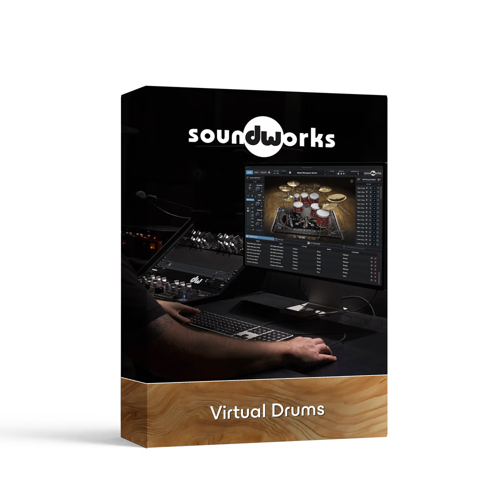
Team R2R | 26 April 2026 | 80.67 MB | 62.3GB
(支持正版PT)
安装方法:
DW Soundworks®为所有音乐制作人提供丰富的采样和效果,助其打造高保真鼓声。
这款革命性的软件将最真实的鼓声带到世界各地的创作者手中。它是一款虚拟乐器,为鼓手、多乐器演奏家和制作人提供了一个广阔的音色画布,帮助他们找到理想的鼓声。
五十多年来,DW 一直致力于手工打造乐器,解决鼓手的各种难题。DW 鼓组产自加利福尼亚州奥克斯纳德,提供丰富的鼓腔材质选择、革命性的鼓腔结构、音色匹配以及创新的鼓硬件,使 DW 能够将鼓组打造为一个完整的乐器。DW 将这些专业知识应用于 DW Soundworks 平台的创建、开发和完善。作为一款虚拟乐器,DW Soundworks 是制作鼓组音轨的理想之选,提供全面的鼓声库,可满足各种音乐风格和流派的需求。
DW Soundworks 提供丰富的处理、控制和效果,助您打造理想的音乐氛围。内置效果器包括均衡器 (EQ)、压缩器、混响器和其他处理选项,让您能够塑造鼓声。这些效果器可以应用于单个鼓组元素,也可以应用于整个鼓组,从而根据您的喜好调整声音。
DW Soundworks 采样在源头进行采样,并在 DW 工厂使用一流的麦克风、高品质麦克风前置放大器、各种压缩器和均衡器以及其他工具进行录制,捕捉了鼓声原本应有的真实音色,带来逼真的音频体验。核心音色库包含来自 DW Collector’s Series 系列的鼓组采样,包括 DW Pure Maple、DW Pure Almond、DW 50th Anniversary 和 DW Maple Mahogany 鼓组,以及 Gretsch USA Custom 鼓组和 Don Lombardi 的 1958 年 Slingerland 鼓组。 DW Soundworks 的采样库将持续扩充,随着您音乐风格的演变,我们将推出新的扩展包,以满足您不断变化的音乐需求和喜好。总而言之,DW Soundworks 是一款功能强大且易于使用的虚拟鼓软件,能够满足音乐家和制作人的各种需求。
如果您正在寻找一款拥有卓越品质、多功能性和逼真度的顶级鼓乐器,DW Soundworks 无疑是您音乐制作的理想之选。
功能特性:
30 种可激活的乐器(20 种鼓和镲片,10 种 X-pads);
乐器采样率为 24 位/88.2 kHz;
每个演奏技巧最多可叠加 16 个音色层;
支持独立运行和虚拟乐器插件;
兼容大多数 DAW(AX、AU、VST)。
快速上手:
- 加载 DW Soundworks 到 DAW 鼓轨道
- 选择核心库鼓组(如 DW Pure Maple 现代流行)
- 进入麦克风混音界面,调整 Overhead/Room 比例,塑造空间感
- 微调鼓组音高、阻尼,匹配歌曲风格
- 添加内置压缩 / EQ / 混响,完成鼓组混音
- 保存自定义预设,快速复用
鼓组扩展:
DW Soundworks Maple Mahogany Expansion Pack
DW Soundworks Metal Legacy Expansion Pack
DW Soundworks Pure Almond Expansion Pack
DW Soundworks 50th Anniversary Expansion Pack
DW Soundworks Gretsch USA Custom Expansion Pack
DW Soundworks Pure Maple Expansion Pack
DW Soundworks Slingerland Vintage Expansion Pack
已解锁:库认证。
DW Soundworks 是一款基于 Roland 云端的鼓组音源。
如今,我们很少会直接绕过保护机制,而是会制作密钥生成器或
模拟器。Roland 是个例外,因为我们讨厌 Roland 的云端
DRM,它需要 RCM(Roland 云管理器)在后台运行。
Equips all beat makers with samples and effects to produce hi-fidelity drum sounds.
DW Soundworks® puts the most authentic drum sounds in the hands of creators everywhere. This revolutionary software is a virtual instrument that equips drummers, multi-instrumentalists, and producers with a sonic canvas to find just the right drum sound.
For over five decades, DW has been handcrafting instruments to solve problems for drummers. Built in Oxnard, California, DW Drums provide a full spectrum of choices for shell material, revolutionary shell construction, timbre matching, and innovative drum hardware that enable DW to produce drums as a complete instrument.DW has leveraged this expertise in the creation, development, and refinement of the DW Soundworks platform. Acting as a virtual instrument, DW Soundworks serves as a go-to solution for drum tracks, offering a comprehensive collection of drum sounds that can cater to various musical styles and genres.
DW Soundworks offers a deep range of processing, controls and effects to match the specific vibe you’re aiming for. The included range of effects includes equalization (EQ), compression, reverb, and other processing options that enable you to shape the drum sound. These effects can be applied to individual drum elements or to the entire drum kit to shape the sound to your liking.
Sampled at the source and recorded at the DW factory with best in class microphones, high-quality microphone preamplifiers (mic preamps), a variety of compressors and equalizers, and other tools, the DW Soundworks samples capture the genuine tonality of drums as they were meant to sound for an authentic audio experience. The core library features drum kit samples from the DW Collector’s Series line with DW Pure Maple, DW Pure Almond, DW 50th Anniversary and DW Maple Mahogany kits, as well as a Gretsch USA Custom kit, and Don Lombardi’s personal 1958 Slingerland kit. The DW Soundworks library of samples will continue to grow and, as your sound evolves, new expansion packs will be available to accommodate your changing sound and tastes.Overall, DW Soundworks is a powerful and user-friendly virtual drum software that fulfills the demands of musicians and producers alike.
If you’re looking for a top-tier drum instrument with unmatched quality, versatility, and realism, DW Soundworks is undoubtedly an excellent choice to consider for your music production needs.
Features:
30 active instruments (20 drums and cymbals, 10 X-pads)
Instruments sampled at 24-bit, 88.2 kHz
Up to 16 layers per articulation
Standalone and virtual instrument plug-in
Compatible with most DAWs (AX, AU, VST)
UNLOCKED : Library authentication.
DW Soundworks is Roland Cloud based drummer.
Today, we rarely simply bypass the protection instead of making keygens or
emulators. Roland is one of that exception, because we hate these Roland Cloud
DRM which requires the RCM (Roland Cloud Manager) running in the background.
![[简易采样加载插件] AtlasDSP Replacer v1.0 [WiN, MacOSX]](https://www.shuziyinpin.vip/wp-content/uploads/2026/10/AtlasDSP-Replacer.png)
![[自动削波修复插件] Leit Audio UnClip v1.0.0 VST3 AU [WiN, MacOSX, LiNUX]](https://www.shuziyinpin.vip/wp-content/uploads/2026/10/Leit-Audio-UnClip.png)
![[完整版:最好的合成器之一] Native Instruments Absynth v6.2.1 [WiN, MacOSX]](https://www.shuziyinpin.vip/wp-content/uploads/2026/10/Absynth-v6.2.0.png)
![[现场演奏乐器] Beatsurfing Druw v1.0.1 VST Incl. Keymaker-RLTS [WiN]](https://www.shuziyinpin.vip/wp-content/uploads/2026/10/beatsurfing-druw.jpg)
![[ PAA 音频套装] PAA Audio Bundle v2026.10 Patched Incl. Keygen-MOCHA [WiN]](https://www.shuziyinpin.vip/wp-content/uploads/2026/10/PAA-Bundle.jpg)
![[环绕延迟插件] The Cargo Cult Slapper Bundle v3.0.19 [MacOSX]](https://www.shuziyinpin.vip/wp-content/uploads/2024/12/the-cargo-cult-slapper-bundle.png)

评论12