
P2P | January 2026 | 460 MB
安装方法:
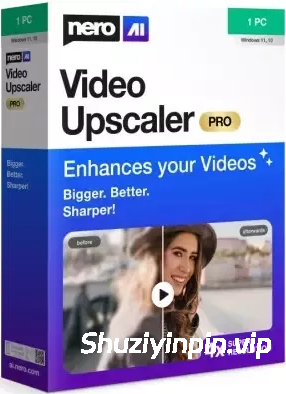
更大、更好、更清晰!凭借先进的 AI 技术,Nero AI Video Upscaler PRO 将您的视频提升至全新境界。将电影、短片和录像放大至 4K 或 8K 分辨率,画面清晰锐利、细节丰富、色彩鲜艳。让旧视频焕然一新,让新项目更加精彩。
超高分辨率
– 将视频质量提升至原视频的2倍或4倍。
– 去除噪点和颗粒,确保您的视频清晰无比。
6 种AI模型满足各种需求
– 快速:快速放大,完美适用于时间紧迫的项目。
– 动画:推荐用于动画和AI生成的内容。
– 逼真:增强实际视频素材,呈现逼真的画质。
– 多功能:提升视频质量,减少瑕疵,保留更多细节。
– 人脸增强:人脸检测、识别和视频增强功能可用于从旧视频中恢复人脸,并提升整体画质。
– 修复(新增)- 旨在恢复精细纹理,并修复旧视频或低质量视频。
片段选择:
无需预先剪辑,即可增强视频中的任何片段。
AI 帧插值:
Nero AI 视频倍线器可智能分析您的视频帧并填充空白,从而提高帧速率,带来真正流畅的观看体验。将视频帧速率提升至 120 FPS,享受极致流畅的播放效果。
– 慢动作:无需高速摄像机即可生成高质量的慢动作效果。
– 低帧率视频:将低帧率视频转换为 60 FPS 甚至高达 120 FPS,实现超流畅的动态效果。
– AI 生成的视频:确保您的 AI 生成的视频以高达 120 FPS 的帧速率播放,呈现专业级输出效果。
Bigger, better, sharper! With state-of-the-art AI technology, Nero AI Video Upscaler PRO takes your videos to the next level. Enlarge films, clips and recordings up to 4K or 8K – razor-sharp, rich in detail and colourful. This makes old videos fresh again and new projects even more impressive.
Super Resolution
– Enhance videos to 2x or 4x their original quality.
– Remove noise and grain, ensuring your videos are crystal clear.
6 AI models for every need
– Fast: Upscale quickly, perfect for time-sensitive projects.
– Animation: Recommended for animation and AI-generated content.
– Realistic: Enhance actual video footage for true-to-life quality.
– Versatile: Enhance the video quality with less artifacts and keep more details.
– Face Enhancement: Face detection, recognition, and video enhancement can be used to recover faces from old videos and increase overall quality.
– Restoration (New) – Designed to recover fine textures and revive old or low-quality footage.
Clip selection
Enhance any clip within a video without the need for pre-cutting.
AI Frame Interpolation
Nero AI Video Upscaler intelligently analyzes your video frames and fills in the gaps to increase the frame rate, providing a truly smooth and fluid viewing experience. Boost your videos up to 120 FPS for the ultimate in seamless playback.
– Slow-Motion – Generate high-quality slow-motion effects without needing high-speed cameras.
– Low FPS Videos – Convert low FPS videos into 60 FPS or even up to 120 FPS for ultra-smooth, fluid motion.
– AI-Generated Videos – Ensure your AI-created videos play at up to 120 FPS for professional-grade output.
![[普通人的游戏音乐创作神器] 1BitDragon v5-ARCADiA [MacOSX]](https://www.shuziyinpin.vip/wp-content/uploads/2026/09/1BitDragon-v5.png)
![[最受欢迎的人工智能(AI)DJ软件] Atomix VirtualDJ 2026 Pro Infinity v8.5.9644 Incl Patched and Keygen-R2R [WiN]](https://www.shuziyinpin.vip/wp-content/uploads/2026/04/atomix-virtualdj-2026-pro-infinity.jpeg)
![[专业DJ演奏工具] Algoriddim djay Pro 5.6.9-TNT [MacOSX]](https://www.shuziyinpin.vip/wp-content/uploads/2024/10/14122315_algoriddim-djay-pro.png)
![[吉他谱与和弦学习工具] Songsterr Guitar Tabs and Chords v7.0.30 (Premium Version) [Android]](https://www.shuziyinpin.vip/wp-content/uploads/2025/06/Songsterr-Guitar.png)
![[ Kontakt 和 Maschine 一键式自动 NICNT 生成器] BOB NICNT Maker v1.0-bobdule [WiN]](https://www.shuziyinpin.vip/wp-content/uploads/2026/09/BOB-NICNT-Maker.png)
![[FL Studio插件管理器] FL Studio Plugin Organizer v4.2 [WiN, MacOSX]](https://www.shuziyinpin.vip/wp-content/uploads/2026/08/FL-Studio-Plugin-Organizer-v4.0.jpg)

评论0