
Team R2R | 13 June 2026 | 2 MB
安装方法:
隆重推出 StartAllBack:Windows 11 的全新升级
重拾经典 UI,焕发新生
恢复并改进任务栏,
在任务图标上显示标签,
调整图标大小和边距,
将任务栏移动到顶部、左侧或右侧边缘
将项目拖放到任务栏
将任务图标居中,但保留左侧的“开始”按钮
分割成多个部分,使用动态半透明效果,
使用 Windows 7/10 风格的独立角落图标
恢复并改进文件资源管理器和控制面板,
功能区和命令栏经过重新设计,采用半透明效果,
底部添加详细信息窗格,保留
旧版搜索框(确保其正常运行)
为更多对话框提供深色模式支持。
恢复并改进上下文菜单,
采用全新外观和圆角亚克力菜单,
快速响应的任务栏菜单
全新字体,更佳的触控支持
恢复并改进“开始”菜单,
一键启动应用并访问系统位置
轻松操控下拉菜单
享受快速可靠的搜索体验。
最后,实现轻量级样式和 UI 一致性,
兼容 Windows 7、Windows 10 和第三方任务栏和“开始”菜单样式,
修复 Win32 应用程序中的 UI 不一致问题。
别再忧郁:重新着色所有 Windows 应用的 UI 界面。
负面资源占用:更少的内存使用,更少的进程启动。
Introducing StartAllBack: Windows 11 from better timeline
Embrace, enhance, unsweep classic UI from under the rug
Restore and improve taskbar
Show labels on task icons
Adjust icon size and margins
Move taskbar to top, left or right edges
Drag and drop stuff onto taskbar
Center task icons but keep Start button on the left
Split into segments, use dynamic translucency
Separate corner icons with Windows 7/10 UI
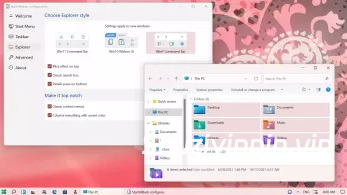
Restore and improve File Explorer and Control Panel
Ribbon and Command Bar revamped with translucent effects
Details pane on bottom
Old search box (the one which works)
Dark mode support for more dialogs
Restore and improve context menus
All new look with rounded acrylic menus
Fast and responsive taskbar menus
New fonts, better touch support
Restore and improve start menu
Launch apps and go to system places in one click
Navigate dropdown menus like a boss
Enjoy fast and reliable search
Finally, lightweight styling and UI consistency
Enjoy Windows 7, Windows 10 and third-party taskbar and start menu styles
Fix UI inconsistencies in Win32 apps
Don’t be blue: recolor UI in all windows apps
Negative resource usage: fewer RAM used, fewer processes started
![[MIDI创作生成工具] Rio Leyva MidiMine v1.0.3 STANDALONE x64 [WiN]](https://www.shuziyinpin.vip/wp-content/uploads/2026/09/Rio-Leyva-MidiMine.png)
![[音频分析工具] Spectro v1.6 U2B-EDiSO [MacOSX]](https://www.shuziyinpin.vip/wp-content/uploads/2026/08/Spectro.png)
![[Kontakt 便携版图标恢复为原始图标小工具] KONTAKT 8 PORTABLE logo Restore-bobdule [WiN]](https://www.shuziyinpin.vip/wp-content/uploads/2026/03/native-instruments-kontakt-8-portable.png)
![[多用途文件格式转换器] FMJ-Software Awave Studio v12.16.0 Incl Patched and Keygen-R2R [WiN]](https://www.shuziyinpin.vip/wp-content/uploads/2024/12/awmains.png)
![[现场演出工具] Steinberg VST Live Pro v3.0.60 [WiN, MacOSX]](https://www.shuziyinpin.vip/wp-content/uploads/2025/05/18042446_steinberg-vst-live-pro.jpg)
![[苹果小飞贼网络防火墙工具] Little Snitch 6.5 Multilingual+使用方法 [MacOSX]](https://www.shuziyinpin.vip/wp-content/uploads/2026/06/Little-Snitch.png)

评论0