
关联资源
[V15终结版] Waves Ultimate 15 v25.05.27+一键安装版+安装方法+使用教程 [WiN, MacOSX]
[V16终结版] Waves Ultimate 16 v26.04.14+一键安装版+安装方法+使用教程 [WiN, MacOSX]
特别推荐:
[顶级制作人和混音师Waves插件700多个预设合集]Free Plugin Presets from Top Producers & Mixers
[Waves高质量教程]全插件中文深度解析 完全篇
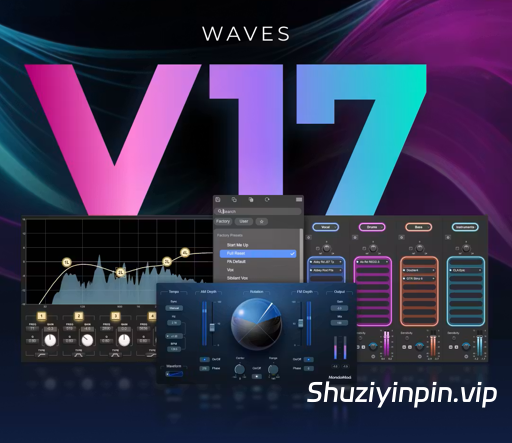
WiN(Team R2R)| 28 July 2026 | 4.43 GB
WiN (Incl V.R Patch) | 7 September 2026 | 12.3 GB
macOS | macOS(Incl V.R Patch) | 7 September 2026 | 11.2 GB
观看视频

Waves 是全球领先的音频插件和信号处理器开发商,产品面向专业和消费电子音频市场。
Waves Ultimate 17 是 Waves全插件套装最新大版本,包含品牌全部 240 + 款专业音频插件,覆盖混音、母带、人声修复、乐器、吉他箱模、影视降噪全场景,按月 / 按年订阅制,订阅期内永久同步新增插件与版本更新。
V17 核心升级内容
- 新增插件 Curves Resolve
智能频率避让侧链插件,解决人声 / 底鼓 / 贝斯频段打架,自动频谱避让,自带说唱、流行、鼓组预设,支持零延迟现场模式,替代传统 TransX、Transpacer 繁琐侧链操作。
- AI 降噪系列全面优化(Clarity Vx / Vx Pro)
6 段精细噪声控制、内置限制器防止爆音、静音自动重置神经网络,多人交替人声录音底噪处理更稳定,影视同期声降噪速度提升 30%。
- 原生 Apple Silicon 深度优化
M1/M2/M3 系列 CPU 占用大幅降低,多轨道并行渲染无卡顿,Logic、Studio One、Pro Tools 原生 AU/AAX/VST3 无 Rosetta 兼容损耗。
- StudioVerse 预设库扩容
新增上千套分风格混音链路预设(流行、说唱、摇滚、影视配乐、播客人声),一键加载完整通道链,支持自定义预设云端同步。
- 总线与母带插件算法迭代
SSL G-Master、L2 Ultramaximizer、Linear Phase Multiband 压缩优化低频相位失真,母带线性相位交叉点精度提升,立体声宽度控制更自然。
- 修复大量 V16 兼容 bug
解决 Cubase 14、Studio One 7、Pro Tools 2025.6 插件闪退、界面缩放错乱、离线激活失效问题。
套装完整插件分类(全部包含)
均衡 EQ
压缩动态
通道条
混响延迟
人声修复 AI
母带工具
吉他箱模与失真
乐器与采样
影视 / 播客工具
特殊创意效果
四、系统与 DAW 兼容性
系统要求
- Windows:Win10/11+ 64 位,支持 Intel/AMD
- Mac:macOS 14+,原生 Apple Silicon/Intel
- 最低 16GB 内存,全套插件安装占用≥35GB 硬盘
兼容主流 DAW
Pro Tools 2025.12+、Logic Pro 12+、Fender Studio Pro8+、Cubase 15+、FL Studio 25+、Ableton Live 12+、Nuendo 15+、DaVinci Resolve 21+、Bitwig 6+、REAPER 7+。
具体其他DAW宿主软件最低支持版本请点击下方链接查阅:
2026年9月1日
– 更新:[eMotion LV1](https://www.waves.com/mixers-racks/emotion-lv1) v17 — LV1 软件新版本,适用于所有 LV1 调音台(包括 LV1 Classic 和基于 LV1 软件的模块化系统)。以下是新增功能和改进:
– 更新的图形用户界面 — 颜色、字体、布局,原生分辨率为 1920×1080 像素。
– 顶部栏 — 全新精简布局。此外,顶部栏现在包含用户键和静音组。
– 调音台窗口 — 全新布局和控件。调音台窗口现在显示 3 行调音台控制模式,每个通道条提供更多信息和控制选项,包括可自定义的布局预设。
– 调音台窗口 — 完全控制主通道条。通道模式全新布局。每个通道条提供更多路由选项。
– 调音台窗口 — 更新的指示器布局;每个通道条新增“安全调用”指示。
– “全部”窗口——“全部”窗口(提供所有混音器轨道的概览)现在作为独立的新窗口位于顶部栏。“全部”窗口新增了链接和辅助翻转的全局控制选项以及显示偏好设置。
– 通道窗口——所有通道类型的布局均已更新。主控制部分新增了焦点参数的颜色编码。新增了声像控制选项,方便用户控制各种声像模式。插件会自动缩放,以更好地适应插件视图部分。
– 补丁、显示和设置窗口——布局和指示已更新。新增了静音操作偏好设置和更多用户按键选项。
– 新增通道编辑模式——启用编辑模式后,通道控制可快速映射到推子组旋钮,方便用户访问每个选定通道的滤波器、增益、压缩、均衡器和辅助发送。
– 图形均衡器推子控制模式——图形均衡器插件(包含在 LV1 Classic 中)现在会在打开其图形用户界面时自动映射到推子,提供类似于经典图形均衡器的触觉控制体验。 LV1 的移动应用现已支持 GEQ 控制。
– eMo-Q4 新增实时分析器,并支持 Q 的捏合手势控制。
– eMotion LV1 Session Editor 或任何预制作工作新增 SoundGrid Driver Offline 选项。
– 修复了多项稳定性问题和用户界面错误,包括场景调用时序和插件菜单焦点问题。
– 更新:[eMo IEM](https://www.waves.com/mixers-racks/emo-iem) v17 — 更新了用户界面。
– 更新:[Dugan Speech](https://www.waves.com/mixers-racks/dugan-speech) v17 — 更新了用户界面。
– 更新:[MyMon](https://www.waves.com/mixers-racks/mymon-personal-monitor-mixing-app) v17 — 新增:支持 LV1 的新功能。
– 更新:[MyFOH](https://www.waves.com/mixers-racks/myfoh) v17
– 新增:支持 LV1 的新功能。
– 新增:图形均衡器推子控制。
– 修复:[Curves Resolve](https://www.waves.com/plugins/curves-resolve) 侧链图表现在可以在侧链输入有信号时正常工作。
2026年6月23日
Waves所有插件:全面软件更新至V17
– Waves V17新增功能及改进
– 新增:改进的预设菜单系统,取代了传统的弹出式菜单和预设浏览器,融合了二者的功能,并新增了弹出式和分离式模式、文本搜索和便捷导航。除少数例外(Q-Clone、Curves Equator、Curves Resolve、IR1系列、IRLive、GTR系列、Tune Real-Time、X-Noise和Z-Noise)外,所有Waves插件均已添加此功能。
– 新增:COSMOS Sample Finder、Curves AQ、InTrigger Drum Replacer、Key Detector、StudioVerse和Sync Vx现已完全原生于Apple Silicon芯片,无需依赖Rosetta 2的后台进程。
– [MondoMod](https://www.waves.com/plugins/mondomod) 新增功能:重新设计的图形界面。
– [PSE](https://www.waves.com/plugins/pse-primary-source-expander) 新增功能:新增 5Hz 频率偏移,用于增加开放式麦克风的反馈前增益余量。
-[PSE](https://www.waves.com/plugins/pse-primary-source-expander) 新增功能:闪避增益范围扩展至 -60 dB,以实现更佳的动态控制。
-[CLA MixDown](https://www.waves.com/plugins/cla-mixdown) 新增功能:新增链路输入/输出控制,允许一次性同时调节输入和输出电平。
-[WLM / WLM Plus](https://www.waves.com/plugins/wlm-loudness-meter) 新增功能:WLM 现在作为 AudioSuite 插件提供,无需实时播放即可进行完整的离线节目响度分析。
– [EMO-Q4](https://www.waves.com/plugins/emo-q4-equalizer) 新增功能:实时频谱分析仪,在 SoundGrid 和原生环境中均可使用偏移控制进行视觉参考调整。
-[REQ](https://www.waves.com/plugins/renaissance-equalizer) 新增功能:实时频谱分析仪现已在 SoundGrid 环境中可用。
-[Q10](https://www.waves.com/plugins/q10-equalizer) 和 [F6](https://www.waves.com/plugins/f6-floating-band-dynamic-eq) 新增功能:现在可在触摸屏工作流程中使用捏合手势控制 Q 值。
-[Sync Vx](https://www.waves.com/plugins/sync-vx) 新增功能:Samplitude 和 Sequoia 现在同时支持 VST3 和 ARA 格式。
– StudioVerse AudioEffects 新增功能:宏控制页面扩展至最多支持 13 页,每页最多 8 个宏。Waves V17 错误修复– 所有 Waves 插件修复:
– 侧链切换功能现已在 Windows 版 Luna (VST3) 中正常工作。
-安装 SyncroArts RePitch 2 后,Pro Tools 中不会再出现崩溃。
-所有乐器插件修复:在 Cubase/Nuendo 中拖动 MIDI 片段时,已加载的预设能够正确保留。
– Waves 应用程序修复:macOS 上的应用程序窗口从 Dock 最小化后现在可以正确恢复。
-[Curves 系列](https://www.waves.com/plugins/curves)(AQ、Equator、Resolve)修复:安装 SyncroArts RePitch 2 后,Pro Tools 不会崩溃。
– [CLA MixHub](https://www.waves.com/plugins/cla-mixhub) 修复:在文本输入框处于活动状态时,即使插件 GUI 关闭,Pro Tools 仍保持完全响应。
-[COSMOS](https://www.waves.com/plugins/cosmos-sample-finder) 修复:Ableton Live 的 .asd 分析文件不再触发多余的“检测到更改”通知。
-[Curves AQ](https://www.waves.com/plugins/curves-aq) 修复:未路由侧链时,侧链监听控件呈灰色显示。
– 已修复 [Doubler](https://www.waves.com/plugins/doubler) 中的问题:低增益均衡器启用和禁用时不会出现爆音。
-已修复 [GTR Tool Rack](https://www.waves.com/plugins/gtr3-toolrack) / Solo Tool Rack 中的问题:在单块效果器部分的放大器上使用“向左移动”功能不再导致界面损坏或崩溃。
-已修复 [IDX Intelligent Dynamics](https://www.waves.com/plugins/idx-intelligent-dynamics) 中的问题:插件旁通控制在所有支持的 DAW 中均与宿主软件的旁通系统完全同步。
-已修复 [Immersive Wrapper](https://www.waves.com/plugins/immersive-wrapper) 中的问题:7.1 和 7.1.2 组件现在可以在 Logic Pro 中正确路由。
– 已修复 [L4](https://www.waves.com/plugins/l4-ultramaximizer) 中的问题:响度表设置(短/长)现在可以正确保存,并在会话重新加载时恢复。
-已修复 [Magma BB Tubes](https://www.waves.com/plugins/bb-tubes) 中的问题:音调前置和后置控制现在可以正确响应 LV1 中的触控滑动输入。
-已修复 [MultiMod Rack](https://www.waves.com/plugins/multimod-rack) 中的问题:调制效果旁通和汉堡菜单现在可以正确响应。
-已修复 [ReelADT](https://www.waves.com/plugins/reel-adt) 中的问题:静音、相位、同步、LFO 开/关和监听按钮现在可以正确映射到 Live 应用程序中的控制器切换按钮。
– 已修复 [Waves Harmony](https://www.waves.com/plugins/waves-harmony) 中的以下问题:LV1 和 SuperRack 中的场景缩放设置现在可以正确调用。
-已修复 [WLM Plus](https://www.waves.com/plugins/wlm-loudness-meter) 中的以下问题:macOS 上的 CSV 日志可以捕获并导出所有预期数据。
-已修复 [H-EQ](https://www.waves.com/plugins/h-eq-hybrid-equalizer) 中的以下问题:立体声链接现在适用于相位反转按钮,可以同时反转左右声道的相位。
-已修复 [Curves AQ](https://www.waves.com/plugins/curves-aq) 中的以下问题:在学习区域内打开的节点现在可以正确响应并保持交互。
– 修复了 [RChannel](https://www.waves.com/plugins/renaissance-channel) 中的问题:旧版皮肤下,滤波器类型下拉菜单现在可以正确打开。
-修复了 [CR8](https://www.waves.com/plugins/cr8-creative-sampler) 中的问题:
全局输出现在可以正确保存预设。
复音触后调制器现在可以在所有支持的宿主程序中正常工作。
-修复了 [OVox](https://www.waves.com/plugins/ovox-vocal-resynthesis) 中的
问题:调制效果旁通和汉堡菜单现在可以正确响应。
复音触后调制器现在可以在所有支持的宿主程序中正常工作。
-修复了 [Scheps Omni Channel](https://www.waves.com/plugins/scheps-omni-channel) 中的
问题:完全重置和 PA 默认预设现在显示在预设菜单的顶部。
– 现在可以通过 [LV1/SuperRack](https://www.waves.com/mixers-racks/superrack-performer) 中的“触摸和旋转”功能正确调节高通滤波器 (HPF) 频率。
-当插件 GUI 关闭且文本输入框处于活动状态时,Pro Tools 仍保持完全响应。
-在 [StudioVerse](https://www.waves.com/plugins/studioverse-audio-effects) 中修复:
– 加载预设时,宿主程序不会出现卡顿。
-当 SyncroArts RePitch 2 安装在 AAX 文件夹中时,Pro Tools 会正确显示增益衰减。
-点击宏编辑窗口中的值不再导致鼠标光标跳动。
-现在可以将 Chainer 插件(CLA MixHub、Scheps Omni Channel、AR TG Mastering、MultiMod Rack)中的模块控件分配给宏。
-在 [Sync Vx](https://www.waves.com/plugins/sync-vx) 中修复:
– 现在动态分割功能在 Mac 和 Windows 系统的 REAPER 中均可正常工作。
– 现在,在 Windows 系统上,如果“svml_dispmd.dll”安装在 C:\Windows\System32 目录下,进度条可以正确完成。
-已在 [TG12345](https://www.waves.com/plugins/emi-tg12345) 中修复:
– 会话重新加载后,M/S 模式显示正确。
-自动化轨道的所有控制项(dB 和 kHz)均显示正确的后缀。-StudioVerse Premium 新增功能:[Mix Unlock](https://www.waves.com/plugins/studioverse-mix-unlock) – 直接在您的 DAW 中实时分离音轨。将任何立体声轨道拆分为 2 个音轨(人声 + 乐器)或 4 个音轨(人声、鼓、贝斯和乐器),这样即使没有原始的多轨会话,您也可以修复混音、创建混搭、重新平衡元素以及重塑最终音轨。Mix Unlock 是 StudioVerse Audio Effects 的一项高级功能。它需要单独的许可证,您可以购买永久许可证,也可以通过 [Waves Essential](https://www.waves.com/subscriptions/essential) 和 [Waves Ultimate](https://www.waves.com/subscriptions/ultimate) 插件订阅获得。在限定时间内,拥有任何 Waves v17 插件的用户均可免费使用此功能。
备注
– 包含 Waves Patcher 15.9 U2B – GUISEPPE
– 包含 Waves Ultimate 2025.3-VR
Waves is the world’s leading developer of audio plugins and signal processors for the professional and consumer electronics audio markets.
September 1, 2026
– Updated: [eMotion LV1](https://www.waves.com/mixers-racks/emotion-lv1) v17 — a new version of LV1 software, available for all LV1 mixers (including LV1 Classic and modular systems based on LV1 software). The following new features and improvements are available:
– Updated graphical user interface — Colors, fonts, layouts, native 1920×1080 pixels resolution.
– Top bar — New streamlined layout. In addition, the top bar now includes User Keys and Mute Groups.
– Mixer windows — New layout and controls. The Mixer windows now displays 3 rows of mixer control modes, with more info and control provided per channel strip, including customizable layout presets.
– Mixer windows — Full control over the master channel strip. New layout for channel mode. More routing options per strip.
– Mixer windows — Updated indicators layout; new Recall Safe indication per strip.
– “All” window — The “All” window, which provides an overview of all mixer tracks, is now available from the top bar as a dedicated new window. The “All” window now includes new global control options for Link and Aux Flip, and display preferences.
– Channel window — Layout updates for all channel types. The main control section features new color coding for focus parameters. New panner options for easier control over various panning methods. Auto scale for plugins to best fit in the plugin view section.
– Patch, Show and Setup windows — Updated layout and indications. Mute operation preferences, and more User Key options.
– New Channel Edit mode — Quick channel control mapping to fader bank knobs with EDIT mode turned on, for accessing filter, gain, compression, EQ and aux sends per selected channel.
– GEQ fader control mode — The GEQ plugin (included with LV1 Classic) now automatically maps to faders when its GUI is opened, for tactile control akin to classic GEQ usage. GEQ control is now available in LV1’s mobile apps as well.
– eMo-Q4 now features a real-time analyzer, and supports pinch gestures for Q.
– SoundGrid Driver Offline option added for the eMotion LV1 Session Editor or any pre-production work.
– Various stability and UI bug fixes, including Scene Recall timing and plugin menu focus.
– Updated: [eMo IEM](https://www.waves.com/mixers-racks/emo-iem) v17 — Updated user interface.
– Updated: [Dugan Speech](https://www.waves.com/mixers-racks/dugan-speech) v17 — Updated user interface.
– Updated: [MyMon](https://www.waves.com/mixers-racks/mymon-personal-monitor-mixing-app) v17 — New: Support added for the new LV1 features.
– Updated: [MyFOH](https://www.waves.com/mixers-racks/myfoh) v17
– New: Support added for the new LV1 features.
– New: GEQ faders control.
– Fixed: [Curves Resolve](https://www.waves.com/plugins/curves-resolve) sidechain graph now works when a signal is present in the sidechain input.
June 23, 2026
All Waves Plugins: Across-the-board software update to V17
– New Features & Improvements in Waves V17
– New: Improved Preset Menu system that replaces both the legacy popup-style menu and the Preset Browser, combining the capabilities of both with popup and detched modes, text search and easy navigation. Added to all Waves plugin with a few exceptions (Q-Clone, Curves Equator, Curves Resolve, IR1 Series, IRLive, GTR Series, Tune Real-Time, X-Noise and Z-Noise).
– New: COSMOS Sample Finder, Curves AQ, InTrigger Drum Replacer, Key Detector, StudioVerse and Sync Vx are now fully native on Apple Silicon, with no Rosetta 2 dependent background process.
– New in [MondoMod](https://www.waves.com/plugins/mondomod): Redesigned graphical interface
– New in [PSE](https://www.waves.com/plugins/pse-primary-source-expander): 5Hz Frequency Shift added for increased gain-before-feedback headroom on open mics.
– New in [PSE](https://www.waves.com/plugins/pse-primary-source-expander): Ducking gain range extended to -60 dB for greater dynamic control.
– New in [CLA MixDown](https://www.waves.com/plugins/cla-mixdown): Link In/Out control added, allowing simultaneous input and output level adjustment in a single action.
– New in [WLM / WLM Plus](https://www.waves.com/plugins/wlm-loudness-meter): WLM is now available as an AudioSuite plugin, allowing full offline program loudness analysis without the need for real-time playback.
– New in [EMO-Q4](https://www.waves.com/plugins/emo-q4-equalizer): Real-time spectrum analyzer added, with an Offset control for visual reference adjustment available in SoundGrid and native environments.
– New in [REQ](https://www.waves.com/plugins/renaissance-equalizer): Real-time spectrum analyzer is now available in SoundGrid environments.
– New in [Q10](https://www.waves.com/plugins/q10-equalizer) & [F6](https://www.waves.com/plugins/f6-floating-band-dynamic-eq): Pinch gesture to control Q, is now available on touch screen workflows.
– New in [Sync Vx:](https://www.waves.com/plugins/sync-vx) Samplitude and Sequoia are now supported in both VST3 and ARA formats.
– New in [StudioVerse AudioEffects:](https://www.waves.com/plugins/studioverse-audio-effects) Macro control pages expanded to support up to 13 pages with 8 macros each.Bug Fixes in Waves V17
– Fixed in [All Waves plugins](https://www.waves.com/plugins):
– Sidechain toggling now works correctly in Luna on Windows (VST3).
– No crash will occur in Pro Tools when SyncroArts RePitch 2 is installed.
– Fixed in All Instrument plugins: Loaded presets are retained correctly when dragging MIDI clips in Cubase/Nuendo.
– Fixed in Waves Applications: Application windows on macOS now restore correctly after being minimized from the Dock.
– Fixed in [Curves Series](https://www.waves.com/plugins/curves) (AQ, Equator, Resolve): No crash will occur in Pro Tools when SyncroArts RePitch 2 is installed.
– Fixed in [CLA MixHub](https://www.waves.com/plugins/cla-mixhub): Pro Tools remains fully responsive when the plugin GUI is closed while a text entry field is active.
– Fixed in [COSMOS](https://www.waves.com/plugins/cosmos-sample-finder): Ableton Live .asd analysis files no longer trigger a redundant Changes Detected notification.
– Fixed in [Curves AQ](https://www.waves.com/plugins/curves-aq): SC Listen control is grayed out when no sidechain is routed.
– Fixed in [Doubler](https://www.waves.com/plugins/doubler): Low Gain EQ engages and disengages without audio pops.
– Fixed in [GTR Tool Rack](https://www.waves.com/plugins/gtr3-toolrack) / Solo Tool Rack: Using ‘Move Left’ on the Amp in the Stomp section no longer causes GUI corruption or crashes.
– Fixed in [IDX Intelligent Dynamics](https://www.waves.com/plugins/idx-intelligent-dynamics): Plugin bypass control is fully synced with the host bypass system across all supported DAWs.
– Fixed in [Immersive Wrapper](https://www.waves.com/plugins/immersive-wrapper): 7.1 and 7.1.2 components now route correctly in Logic Pro.
– Fixed in [L4](https://www.waves.com/plugins/l4-ultramaximizer): Loudness Meter setting (Short/Long) is saved correctly and restored on session reload.
– Fixed in [Magma BB Tubes](https://www.waves.com/plugins/bb-tubes): Tone Pre and Post controls respond correctly to touch-and-slide input in LV1.
– Fixed in [MultiMod Rack](https://www.waves.com/plugins/multimod-rack): Mod FX bypass and hamburger menu now respond correctly.
– Fixed in [ReelADT](https://www.waves.com/plugins/reel-adt): Mute, Phase, Sync, LFO On/Off, and Monitor buttons now correctly map to controller toggle buttons in live applications.
– Fixed in [Waves Harmony](https://www.waves.com/plugins/waves-harmony): Scale settings are correctly recalled across scenes in LV1 and SuperRack.
– Fixed in [WLM Plus](https://www.waves.com/plugins/wlm-loudness-meter): CSV Log captures and exports all expected data on macOS.
– Fixed in [H-EQ](https://www.waves.com/plugins/h-eq-hybrid-equalizer): Stereo Link now applies to the phase inversion button, inverting phase on both L & R channels simultaneously.
– Fixed in [Curves AQ](https://www.waves.com/plugins/curves-aq): Nodes opened inside the Learn zone now respond correctly and remain interactive.
– Fixed in [RChannel](https://www.waves.com/plugins/renaissance-channel): Filter type dropdown now opens correctly in the legacy skin.
– Fixed in [CR8](https://www.waves.com/plugins/cr8-creative-sampler):
– Global Output is saved correctly with presets.
– Poly Aftertouch modulator now works correctly across all supported hosts.
– Fixed in [OVox](https://www.waves.com/plugins/ovox-vocal-resynthesis):
– Mod FX bypass and hamburger menu now respond correctly.
– Poly Aftertouch modulator now works correctly across all supported hosts.
– Fixed in [Scheps Omni Channel](https://www.waves.com/plugins/scheps-omni-channel):
– Full Reset and PA Default presets now appear at the top of the Preset Menu.
– HPF frequency now adjusts via Touch & Turn in [LV1/SuperRack](https://www.waves.com/mixers-racks/superrack-performer) correctly.
– Pro Tools remains fully responsive when the plugin GUI is closed while a text entry field is active.
– Fixed in [StudioVerse](https://www.waves.com/plugins/studioverse-audio-effects):
– No hang will occur in hosts when loading presets.
– Gain reduction is reported correctly in Pro Tools when SyncroArts RePitch 2 is installed in the AAX folder.
– Clicking values in the Macro Edit window no longer causes the mouse cursor to jump.
– Module controls inside Chainer plugins (CLA MixHub, Scheps Omni Channel, AR TG Mastering, MultiMod Rack) can now be assigned to Macros.
– Fixed in [Sync Vx](https://www.waves.com/plugins/sync-vx):
– Dynamic Split now works correctly in REAPER on both Mac and Windows.
– Progress bar now completes correctly on Windows systems where “svml_dispmd.dll” is installed in C:\Windows\System32.
– Fixed in [TG12345](https://www.waves.com/plugins/emi-tg12345):
– M/S mode displays correctly after session reload.
– Automation lanes display correct suffixes for all controls (dB and kHz).– New StudioVerse Premium Feature: [Mix Unlock](https://www.waves.com/plugins/studioverse-mix-unlock) – real-time stem separation directly inside your DAW. Split any stereo track into 2 stems, Vocals + Instruments, or 4 stems, Vocals, Drums, Bass & Instruments, so you can fix mixes, create mashups, rebalance elements, and reshape finished tracks even without the original multitrack session.
Mix Unlock is a premium feature of StudioVerse Audio Effects. It requires a separate license, which is available for purchase (perpetual license), or as part of the [Waves Essential](https://www.waves.com/subscriptions/essential) and [Waves Ultimate](https://www.waves.com/subscriptions/ultimate) plugin subscriptions. For a limited time, it is also available free for owners of any Waves v17 plugin.
Notes
– Included Waves Patcher 15.9 U2B – GUISEPPE
– Included Waves Ultimate 2025.3-V.R
0. 在此处查看系统要求:https://www.waves.com/support/tech-specs/system-requirements#plugins|version-14
1. 进入 1- Installer 文件夹,安装 Waves Central 并运行。
2. 卸载旧版本,在 Waves Central 设置中运行“修复权限”,然后登录 Waves(如果您需要 Studio Verse)。(如有需要,请备份预设和其他数据)
3. 选择“离线安装程序”,然后点击“从离线安装程序安装”
4. 浏览您下载的 Waves 文件夹(位于 1- Installer 文件夹内)
5. 选择 Waves Ultimate 或其他插件和应用程序,然后选择“安装”(取消勾选 SD/HD 格式)
提示:勾选Ultimate就包含全部插件了,而且安装会非常干净,建议只勾选Ultimate
6. 运行 VR 补丁
7. 重启
8. 加载 StudioRack 并登录 Waves 以使用 Studio Verse。
9 完成。
感谢 VR 补丁团队
注意:离线安装遵循 Waves 官方方法。如果安装失败,请访问 https://www.waves.com/support 获取帮助。
Waves 乐器示例库
https://www.waves.com/downloads/sample-libraries
0. 在 Waves 上检查系统要求
1. 前往 1- Installer 文件夹,安装 Waves Central 并运行。
1a. 如果安装卡住,请将以下代码粘贴到终端,以 root 身份运行 Waves Central(输入密码后,Waves Central 将以 root 身份打开)。
终端代码:
sudo /Applications/Waves\ Central.app/Contents/MacOS/Waves\ Central
2. 卸载旧版本,在 Waves Central 设置中运行“修复权限”,然后登录 Waves(如果您需要 Studio Verse)。 (如有需要,请备份预设和其他数据)
3. 选择“离线安装程序”,然后点击“从离线安装程序安装”
4. 浏览您下载的 Waves 文件夹(内部:1 - 安装程序)
5. 选择 Waves Ultimate 或其他插件和应用程序,然后点击“安装”(取消勾选 SD/HD)
提示:勾选Ultimate就包含全部插件了,而且安装会非常干净,建议只勾选Ultimate
6. 应用补丁[需要关闭SIP(点击查看),否则可能安装失败。]
7. 重启电脑
8. 从“应用程序/Waves”目录运行 AU reg Utility
10. 加载 StudioRack 并登录 Waves 以使用 Studio Verse。
11 完成。
注意:离线安装遵循 Waves 官方方法。如果安装失败,请访问 https://www.waves.com/support 获取帮助。
Waves 乐器采样库
https://www.waves.com/downloads/sample-libraries
卸载/清理
----------------------------------------------------------------------------------------------------
如果您是第一次安装 Waves,请跳过此步骤。
运行随附的“R2R_Kill_Waves_Background_Process.cmd”。
确认没有 COSMOS.exe、WavesLocalServer.exe 和 WavesPluginServer.exe 正在运行。
卸载之前的版本。
卸载 Waves Central。
清理路径:
您的 VST2、VST3 和 AAX 插件目录
C:\Program Files (x86)\Waves\
%PROGRAMFILES%\Waves Central\
%PROGRAMDATA%\Waves Audio\
%APPDATA%\COSMOS\
%APPDATA%\Waves Audio\
%LOCALAPPDATA%\Waves Audio\
%PUBLIC%\Waves Audio\
=> 如果您觉得自己经验不足,请在 C 盘搜索“WaveShell*”,然后全部删除。 => 我们经常看到用户遇到旧版 shell 的问题,这些 shell 应该先卸载。
清理注册表:
HKEY_LOCAL_MACHINE\SOFTWARE\WOW6432Node\Waves\
安装运行时环境
----------------------------------------------------------------------------------------------------
Microsoft Visual C++ Redistributable 2026 x64
Microsoft Edge WebView2 Runtime(用于最新的 Web 插件)
安装 Waves
----------------------------------------------------------------------------------------------------
解压我们的安装程序,运行并安装。
在您的 DAW 中扫描或重新扫描插件。如果您进行了更新,建议进行完整重新扫描。
如果您使用基于采样的乐器,请从应用程序启动或 GUI 中找到乐器路径。
采样库版本(目前,大多数采样库也可以从 Waves 官方网站下载) :
Waves.Bass.Fingers.Library.HD.v1.0-R2R
Waves.Bass.Fingers.Library.SD.v1.0-R2R
Waves.Bass.Slapper.Library.HAPPY.NEW.YEAR-R2R
Waves.Clavinet.Library-R2R
Waves.Electric.88.Library-R2R
Waves.Electric.200.Library-R2R
Waves.Electric.G80.Library-R2R
Waves.Grand.Rhapsody.Library.HD.v1.0-R2R
Waves.Grand.Rhapsody.Library.SD.v1.0-R2R
Waves.Sample.Libraries.Factory.Pack.v1.0.3.5-R2R (CR8)采样器会提示您执行此操作)
重启后台 Waves 服务器
----------------------------------------------------------------------------------------------------
当后台进程出现故障时,此操作非常有用。
后台服务器无法正常工作时,可能会出现各种问题(例如许可证、扫描、预设等)。
运行随附的“R2R_Kill_Waves_Background_Process.cmd”。
清理“%APPDATA%\Waves Audio\”和“%LOCALAPPDATA%\Waves Audio\”中的缓存文件。
手动运行以下 EXE 文件:
“%PROGRAMDATA%\Waves Audio\WavesLocalServer\WavesLocalServer.bundle\Contents\Win64\WavesLocalServer.exe”
“%PROGRAMDATA%\Waves Audio\WavesPluginServer\WavesPluginServerV17.1.bundle\Contents\Win64\WavesPluginServer.exe”
之后,重新扫描插件。
常见问题解答
----------------------------------------------------------------------------------------------------
问:为什么不支持单独安装产品?
答:Waves 的文件/版本依赖关系非常复杂,即使对 Waves 来说也很难处理。
请参阅 Waves Central 的发行说明,那个官方安装程序漏洞百出 :)
另一个实际问题是,很多用户无法阅读或遵循说明。
因此,我们只提供卸载 -> 清理 -> 完整安装的安装方式。
问:为什么不允许更改安装文件夹?
答:Waves 的安装文件夹是固定的。
您以为可以通过修改注册表来更改路径吗?有些应用程序不支持这种方式。
问:如何删除不使用的插件?
答:删除“C:\Program Files (x86)\Waves\Plug-Ins V*\”目录下的 *.bundle 文件。
某些插件的内容位于“C:\Program Files (x86)\Waves\Data\”目录下。
我们建议您编写批处理文件,以便将来删除不需要的捆绑文件。
问:在线功能是否可用?
答:登录后可能可以使用,但基本原则是:不要将破解软件连接到互联网。
问:COSMOS 系列软件要求我登录。
答:它们已获得授权,但仍然要求您登录。无法像以前那样简单地绕过登录。
----------------------------------------------------------------------------------------------------
TEAM R2R 2026
Waves 许可证引擎模拟器(仅限模拟器)
包含 Waves 许可证引擎版本:v3.4.0.0
安装 Waves。
打开任务管理器,结束“WavesLocalServer”和“WavesPluginServer”进程。
删除“%PROGRAMDATA%\Waves Audio\Modules\WavesLicenseEngine.bundle”文件。
将我们的模拟器(WavesLicenseEngine.bundle)复制到“%PROGRAMDATA%\Waves Audio\Modules”目录。
清除“WavesLocalServer”和“WavesPluginServer”的缓存文件。
路径:%LOCALAPPDATA%\Waves Audio\*
注意:
如果不清除服务器的缓存文件,它们将无法从 WavesLicenseEngine 加载新的许可证。
如果您认为许可证续订失败,请从任务管理器中结束服务器进程,清除服务器缓存文件,然后重启应用程序或插件。
R2R 2026 团队
如果之前安装过waves,想要重新安装其他版本,需要把原来电脑上安装的WAVES删除干净, 一定要注意:统统删干净,一个不能留!包括注册表等信息,否则会出现问题。
具体方法:Waves卸载干净的方法[WiN, MacOSX] - 数字音频 (shuziyinpin.vip)
卸载工具:WiN, MacOSX 卸载工具
注:建议使用[卸载工具],特别是Win版[卸载工具]还能自动清理注册表文件,基本上不用手动清理了,非常方便!
Mac用户 推荐使用 FindAnyFile 进行卸载,方法如下:
1. 如有需要,请备份您的用户预设:'/Users/Shared/Waves/Plug-In Settings'
2. 删除/清理所有以前的 Waves 插件/文件/文件夹:
使用 FindAnyFile(免费)=》https://findanyfile.app
(点击网站上的“先下载试用”按钮,而不是“在 Mac App Store 中购买”)
查找所有以前的“Waves”文件
(提示:打开应用程序后,请使用树状视图而不是默认的列表视图,否则会增加您的工作量)
3. 删除后重新启动
(这将清除存储在内存中的所有 Waves 临时文件或缓存)
![[电子管母带均衡器] Lemur Audio SIMON 2 v2.0.22 [WiN, MacOSX]](https://www.shuziyinpin.vip/wp-content/uploads/2026/07/Lemur-Audio-SIMON.png)
![[Stillwell Audio效果插件完整收藏套装] Stillwell Audio Complete Collection v4.1.2 Incl Patched and Keygen-R2R [WiN]](https://www.shuziyinpin.vip/wp-content/uploads/2026/09/Stillwell-Audio-Complete-Collection.png)
![[语音处理器工具] Krotos Dehumaniser II v1.4.3-R2R [WiN]](https://www.shuziyinpin.vip/wp-content/uploads/2026/09/krotos-dehumaniser-2.png)
![[制作恐怖生物音效工具] Krotos Dehumaniser Simple Monsters v1.3.0-R2R [WiN]](https://www.shuziyinpin.vip/wp-content/uploads/2026/09/krotos-dehumaniser-simple-monsters.png)
![[重磅:声音设计神器] Krotos Plugins Collection v2026.09-R2R [WiN](5.43GB)](https://www.shuziyinpin.vip/wp-content/uploads/2024/08/f69c5f48-e41d-4a9c-8ab4-3013a59bc6a4.png)
![[声学建模混响] Tac System ONKIO Acoustics v2.1.3-R2R [WiN]](https://www.shuziyinpin.vip/wp-content/uploads/2026/09/tac-system-onkio-acoustics.png)

评论17