
P2P | 17 August 2026 | 30.16 MB
安装方法:WiN版,复制插件到相应路径。Mac版,只需安装,免激活版本。
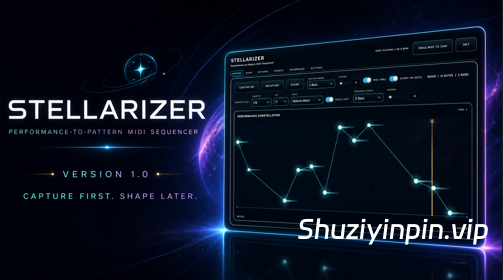
Stellarizer 是一款以演奏为导向的 MIDI 音序器,旨在将您演奏的音符转化为不断演进、可编辑且可导出的音乐灵感。
您可以捕捉乐句、导入 MIDI 片段、逐步构建、直接绘制音符或生成新的音源。然后,您可以调整时值、轮廓、节奏、密度、发音、结构、力度、持续时间、旋律和和声,同时保持原始灵感的音乐特性。
Stellarize r生成的是 MIDI 而非声音,因此它可以驱动您喜爱的软件乐器、采样器、鼓机或外部硬件。无论是演进贝斯线条、重塑主音、拆解和弦进行、构建生成式模式,还是帮助您摆脱创作瓶颈,它都能胜任。
边演奏边录制音乐
实时录制功能可根据您的演奏做出响应,提供自由录制、同步录制、固定长度录制和自定义长度录制模式。
步进录制功能可以逐步构建快速的单音乐句或复音和弦,并提供即时试听和自动步长功能,该功能会根据您的量化设置自动调整步长。
录音叠录功能可将新素材添加到已录制的序列中,而不会覆盖启发其创作的原始演奏。
MIDI 导入功能可将现有片段导入 Stellarizer 进行转换,而直接创建音符功能则可在灵感源于网格时为您提供一个干净的起点。
量化、音阶锁定、自定义音阶和允许音符功能可帮助您将演奏精准地呈现在预期位置,
塑造灵感,保留其精髓
使用六个专注的“形状”控件——八度扩展、轮廓、节奏、密度、发音和结构——即可从细微的调整到大胆的改变。
直接编辑源音符和已保存的变奏:移动音符、更改音高、力度或持续时间、添加和删除音符,以及处理多音符选择。
编辑后的内容会立即播放,同时播放头保持连续,因此音序器在您工作时始终与音乐保持连接。
“锁定音符”功能可保护定义乐句的音符,同时周围的素材可以继续演变。
“音符限制”功能控制随机结果可以包含的音符数量,而“随机范围”功能则将新素材限制在选定的音高范围内。
Stellarizer 的单音和复音处理功能使其适用于单音旋律、和弦以及在两者之间转换的音乐创意。
探索关联的变奏
模式:模式游乐场提供八种可演奏的模式角色,用于创建、比较、固定、重新生成、演化和导出。
自动骰子功能可以以最多 16 小节的间隔刷新创意,创建与序列保持锁定的休止符、切分音、乐句和律动。
保留有潜力的变奏,对其进行进一步的修改,或从原始素材中创造出全新的作品,而无需担心迷失方向。
即时、节拍和小节切换功能让乐句随演奏而动,而非与之对抗。
演奏、保存和完成:
GRAVITY 将现场移调转化为可演奏的演奏工具。
Recording Atlas 最多可保存 32 个重要检查点,方便您恢复、比较、整理和导出发现。
保存和整理预设,自由使用撤销和重做功能,并在不中断创作流程的情况下返回早期想法。
当序列准备好成为音轨的一部分时,您可以将完成的 MIDI 直接拖放到 DAW 中或将其导出。
MIDI Learn 功能使硬件控制更加快捷,同时保持与 DAW 自动化、宏、调制器和远程控制工作流程的兼容性。
包含格式:
Windows x64:VST3;
macOS 11 或更高版本:通用 2 VST3 和 AU 乐器;
Logic Pro 和 MainStage:专用 Stellarizer MIDI FX Audio Unit。
需要能够路由插件生成的 MIDI 的 DAW 或宿主软件。设置因宿主软件而异。
Stellarizer 官方并未正式支持 Digital Performer 和 Reason 这两款宿主软件。该插件可能可以在这些应用程序中扫描或运行,但其兼容性、MIDI 路由和工作流程行为未经测试或保证。涉及 Digital Performer 或 Reason 的宿主软件问题不在 Stellarizer 的支持范围内。
Stellarizer 1.0 经过强化和完善,已准备好投入真正的创作——它提供响应迅速的录制、更深入的编辑、音乐随机化功能,以及从演奏到最终 MIDI 文件的更快捷路径。
先录制,后编辑。
Stellarizer is a performance-driven MIDI sequencer built to turn the notes you play into evolving, editable, export-ready musical ideas.
Capture a phrase, import a MIDI clip, build one step at a time, draw notes directly, or generate a new source. Then shape timing, contour, rhythm, density, articulation, structure, velocity, duration, melody, and harmony while keeping the musical identity of the original idea intact.
Stellarizer generates MIDI rather than sound, so it can drive your favorite software instrument, sampler, drum machine, or external hardware. It is equally at home evolving a bass line, reshaping a lead, breaking apart a chord progression, building generative patterns, or helping you escape a creative rut.
CAPTURE MUSIC AS YOU PLAY
Live Capture responds as you perform, with Free, synchronized, fixed-length, and custom-length recording modes.
Step Record builds fast monophonic phrases or polyphonic chords one step at a time, with immediate auditioning and an Auto step length that follows your Quantize setting.
Recording Overdub adds new material to an existing captured sequence without erasing the performance that inspired it.
MIDI import brings existing clips into Stellarizer for transformation, while direct note creation gives you a clean starting point whenever inspiration begins with the grid.
Quantize, Scale Lock, Custom Scales, and Allowed Notes help performances land where you intend without flattening their character.
SHAPE THE IDEA WITHOUT LOSING IT
Use six focused Shape controls—Octave Spread, Contour, Rhythm, Density, Articulation, and Structure—to move from subtle refinement to bold transformation.
Edit source notes and saved variations directly: move notes, change pitch, velocity, or duration, add and delete notes, and work with multi-note selections.
Hear edits reach playback immediately while the playhead remains continuous, so the sequencer stays connected to the music while you work.
Locked Notes protect the notes that define a phrase while the surrounding material continues to evolve.
Note Limit controls how many notes a randomized result may contain, while Random Range keeps new material inside a chosen pitch register.
Mono and Polyphonic handling make Stellarizer useful for single-note lines, chords, and musical ideas that move between the two.
DISCOVER CONNECTED VARIATIONS
Pattern Playground gives you eight playable pattern roles to create, compare, pin, reroll, evolve, and export.
Auto Dice can refresh ideas at musical intervals up to 16 bars, creating rests, syncopation, phrasing, and movement that remain locked to the sequence.
Keep a promising variation, mutate it further, or create a fresh result from the original source without losing your way back.
Immediate, beat, and bar switching let patterns move with the performance instead of fighting it.
PERFORM, SAVE, AND FINISH
GRAVITY turns live transposition into a playable performance tool.
Recording Atlas preserves up to 32 important checkpoints so discoveries can be restored, compared, organized, and exported.
Save and organize presets, use Undo and Redo freely, and return to earlier ideas without breaking the creative flow.
Drag or export finished MIDI directly into your DAW when the sequence is ready to become part of the track.
MIDI Learn makes hardware control fast while remaining compatible with DAW automation, macros, modulators, and remote-control workflows.
INCLUDED FORMATS
Windows x64: VST3
macOS 11 or newer: Universal 2 VST3 and AU Instrument
Logic Pro and MainStage: dedicated Stellarizer MIDI FX Audio Unit
A DAW or host capable of routing MIDI generated by plug-ins is required. Setup varies by host.
Digital Performer and Reason are not officially supported hosts for Stellarizer. The plug-in may scan or function in these applications, but compatibility, MIDI routing, and workflow behavior are not tested or guaranteed. Host-specific issues involving Digital Performer or Reason fall outside Stellarizer’s support coverage.
Stellarizer 1.0 is hardened, refined, and ready for real creative work—bringing responsive capture, deeper editing, musical randomization, and a faster path from performance to finished MIDI.
CAPTURE FIRST. SHAPE LATER.
![[语音降噪平衡控制应用] Voice Ready v1.0.2 [WIN]](https://www.shuziyinpin.vip/wp-content/uploads/2026/10/Voice-Ready.png)
![[最精准的音高修正插件] Antares AutoTune Advanced v1.0.0.725 ARM REPACK-GUISEPPE [MacOSX]](https://www.shuziyinpin.vip/wp-content/uploads/2026/10/antares-autotune-advanced.jpg)
![[更新:终极超级合成器] reFX Nexus 5 v5.5.19 update-V.R [WiN, MacOSX]](https://www.shuziyinpin.vip/wp-content/uploads/2024/05/6c3858d9-b62e-471d-82bf-d71e9d625085-1024x658.png)
![[更新:西贝柳斯 制谱工具] AVID Sibelius Ultimate v2026.9 +Trial Reset [WiN, MacOSX]](https://www.shuziyinpin.vip/wp-content/uploads/2025/05/Avid-Sibelius-Ultimate-for-Mac-Free-Download.png)
![[功能强大的混音工具] Audioloom Carve Audio Busboy v1.0.22 U2B-MORiA [MacOSX]](https://www.shuziyinpin.vip/wp-content/uploads/2026/05/audioloom-carve-audio-busboy.png)
![[StoryVox Pro 语音克隆器] StoryVox Pro v1.0.18 [WiN]](https://www.shuziyinpin.vip/wp-content/uploads/2026/08/StoryVox-Pro-Voice-Cloner.jpg)

评论0