
关联资源
[音乐制作工具] Bitwig Studio 5 v5.3.13-Team Totoro [MacOSX]
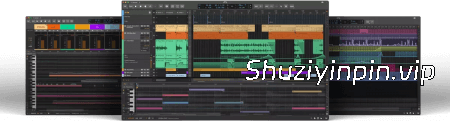
Team BATs | 14 March 2026 | 369.86 MB
安装方法:
Bitwig Studio 6更上一层楼
大幅提升并扩展了您日常使用的核心 DAW 功能。此次重大更新为您带来全新、更快捷的工作方式,同时又不失熟悉感。您会立即感受到变化:Bitwig Studio 的界面更加美观,可视化界面也更容易根据您的需求进行调整。此外,底层也进行了无数大大小小的改进。
自动化编辑功能比以往任何时候都更加强大
Bitwig Studio 6 对自动化编辑进行了全面升级,首先新增了两种访问曲线的方式。按下 [A] 键即可切换到自动化模式,将您上次调整的参数或您选择的任何其他单轨参数叠加到每个轨道上。或者,您可以打开“详细信息编辑器”面板,访问任何轨道的全部自动化设置。使用这些编辑器可以保持编曲界面的简洁,或者从新的角度了解不同轨道之间的关系。
自动化片段功能上线。
自动化与音频和音符同样重要,Bitwig 现在也将其视为如此。在片段中使用自动化功能更加直观易懂。所有你熟悉的片段功能都在这里。设置循环和独立起始时间,滑动片段内容,拉伸自动化片段,使用片段别名等等。
片段别名:跟我重复
Bitwig Studio 6 的全新功能——片段别名,是创建音乐结构和序列的一种方式。与其在轨道上复制片段,不如尝试将其拖动为别名。这意味着这些片段将拥有一个共享的“指纹”——我们称之为它们的“模式”。当你编辑其中一个片段时,所有共享该模式的片段都会更新,而其他片段设置保持不变。
使用调号引导你的音符
除了速度和拍号,你的项目现在还拥有一个调号,可以帮助你更好地处理音符。你可以在钢琴卷帘中看到音阶,并使用“对齐到调”[K] 来使你的编辑操作更加和谐。将此功能与铅笔工具结合使用——或者在使用新的喷枪工具绘制音符流时——可以快速创作出始终保持调性的作品。或者使用“量化到音调”功能,将现有音符或片段对齐到您选择的音阶。
更清晰的界面,更流畅的操作体验
您一打开软件就会注意到:Bitwig Studio 6 的界面得到了改进。我们优化了界面,使其更易于导航,也更容易根据您的需求进行自定义。
更多功能,尽在掌握
Bitwig Studio 6 带来了更多大大小小的改进。除了“喷枪”工具(可以按当前节拍间隔创建一行音符)之外,新增的“试听”工具可让您直接预览任何音轨或片段。此外,在处理音符时,现在还新增了“步进输入”工具,方便快捷地输入音符,甚至支持多音符输入。
功能不断更新
带来了许多其他大大小小的改进。除了喷枪工具(可在当前节拍间隔创建一行音符)之外,新的试听工具可让您直接预览任何轨道或片段。在处理音符时,现在有一个步进输入工具,可实现快速、直观的输入。它甚至支持多音符输入。
On Another Level
Bitwig Studio 6 takes a big step up, improving and expanding on the core DAW functions that you use every day. This major update brings you fresh and faster ways to work that will feel familiar. You’ll notice the difference right away: Bitwig Studio’s looks have been improved, and the visual interface is now easier to adjust to your needs. There are also countless changes under the hood, large and small.
Automation Editing Is More Powerful Than Ever
Bitwig Studio 6 brings an extensive upgrade to automation editing, starting with two new ways to access your curves. Pressing [A] switches to Automation Mode, overlaying each track with the parameter you last touched, or any other single lane you choose. Or reach for the Detail Editor Panel, where you can now access all automation for any track. Use these alternate editors to keep the Arranger clean, or to get a new perspective on how different tracks relate to one another.
Introducing Automation Clips
Automation can be just as important as audio and notes, and now Bitwig treats it that way. Working with automation in clips makes intuitive sense. All the clip features you know are there. Set looping and independent start times, slide the clip contents in time, stretch your automation clips, use clip aliases, and more.
Clip Aliases: Repeat After Me
Brand new in Bitwig Studio 6, clip aliases are a way to create structure and sequence in your music. Instead of duplicating a clip across a track, try dragging it as an alias. This means the clips will have a shared fingerprint – what we’re calling their pattern. When you edit one, all clips sharing that pattern will be updated, and other clip settings remain unchanged.
Guide Your Notes With Key Signature
Alongside tempo and time signature, your project now has a key signature to help guide your work with notes. You can see the scale when you work in the Piano Roll, and use Snap to Key [K] to make your editing gestures harmonious. Combine this with the Pencil tool – or when painting a stream of notes with the new Spray Can tool – for speedy creation that’s always in key. Or use the Quantize to Key function to snap existing notes or clips to your chosen scale.
Sharper Looks for a Smoother Flow
You’ll notice it as soon as you open the software: Bitwig Studio 6’s looks have been improved. We’ve made the interface smoother to navigate and easier to customize to your needs.
Editors That Give You More
In Bitwig Studio 6, the editors let you see and do more, from small scale to the big picture. Expression editing is now a more powerful way to work on fine details. Micro-pitch curves were always shown on top of notes, but now gain, pressure, and other expressions can be edited directly on the notes (or audio) too. All expressions are also available in the folded Drum/Hybrid editor. Not to mention that the new automation gestures have come to expression editing as well.
And on, and on
Bitwig Studio 6 brings plenty more improvements, large and small. In addition to the Spray Can, which creates a row of notes at the current beat interval, a new Audition tool lets you directly preview any track or clip. And when working with notes, there is now a Step Input tool for quick, intuitive entry. It even supports multi-note input.
![[视频编辑软件] CyberLink PowerDirector Ultimate 2027 v25.0.0904 [WiN]](https://www.shuziyinpin.vip/wp-content/uploads/2026/01/PowerDirector-Ultimate-2026-248x300.jpg)
![[多语言版] Adobe Audition 2026 v26.5 (x64) Multilingual [WiN]](https://www.shuziyinpin.vip/wp-content/uploads/2026/01/Audition-2026-.png)
![[更新:水果全插件版+附加组件+FLEX Pack] Image-Line – FL Studio v26.1.6.5639 incl Keygen-AUDIOWAREZ [WiN]](https://www.shuziyinpin.vip/wp-content/uploads/2026/07/FL-Studio-26.png)
![[歌曲大师扒谱神器] Aurally Sound Song Master v5.0.03 Incl. Keygen-MOCHA [WiN]](https://www.shuziyinpin.vip/wp-content/uploads/2024/08/1ca7a94df560755c13a1f4c106128a79-1024x785.jpeg)
![[歌曲大师扒谱神器] Aurally Sound Song Master PRO v5.0.03 Incl. Keygen-MOCHA [WiN]](https://www.shuziyinpin.vip/wp-content/uploads/2026/08/Song-Master-Pro.png)

评论0