
关联资源
[更新:音乐制作工具] Bitwig Studio 6 v6.0.3-Team Totoro [WiN, MacOSX, LiNUX]
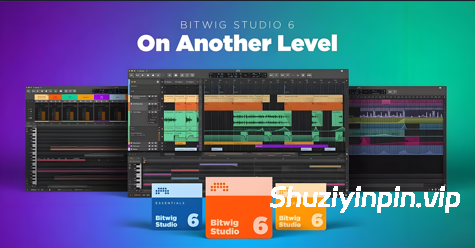
Team Totoro | 04 April 2026 | WiN: 369 MB | MacOSX: 542 MB | LiNUX: 389 MB
安装方法:
新一代音乐制作与演奏。创作无极限。
只需一款软件,即可实现您创作过程中的所有音乐灵感。线性与非线性工作流程、灵活的模块化设计、超过 140 种乐器和效果器,以及超过 20GB(且仍在不断增加)的世界级音频内容。在 Windows、macOS 和 Linux 系统上,尽情挥洒您的音乐才华。
无论您的目标是什么,Bitwig Studio 都能助您达成。
快速完成音乐创作,或深入钻研细节。驾驭强大的合成器和效果器,或打造属于您自己的音色库。即兴演奏、连接硬件、设计您脑海中的声音。探索这款让您随心创作的 DAW。
简单易用,风格多样。
无论是在舞台上还是在录音室里,Bitwig 都能让所有工作流程变得轻松自如。使用片段启动器进行即兴演奏,在时间线上进行编排,并无缝集成您的硬件。
值得信赖的稳定性。
Bitwig Studio 构建于坚实的基础之上,拥有沙盒插件等诸多优势。减少处理崩溃的时间,将更多精力投入到创作中。
创作无极限的音乐。
在 The Grid 中构建您自己的工具。利用通用调制系统,您可以自定义设备并将任何设备连接起来。Bitwig 的模块化设计赋予您充分的创作自由。
Bitwig Studio 6.0.1 版本更新 [发布于 2026 年 3 月 25 日]
改进
自动缩放现在采用叠加式缩放,而非使用固定高度(这样可以消除切换轨道/通道时出现的“跳动”现象……)[41176]修复
• 对正在播放启动器片段的轨道执行复制操作不再出现不同步的情况
• 对启动器片段场景执行复制操作现在会包含传输自动化片段 [41305]
• 合并重复模式现在会包含静音片段 [41112]
• 图层编辑:使用铅笔或喷枪工具时,表达式事件不再能够插入到多个音频图层中 [41269]
• 对音频事件的时间选择执行分割操作现在会自动再次选择结果事件(一个回归问题)[41246]
• 传输栏中的根键现在支持触摸操作 [41192]
• 现在可以再次粘贴启动器场景 [41307]
• 带有偏移起始位置的启动器片段现在可以正确记录到编曲器中。
• 修复了在编曲器中存在循环极短的长片段时 GUI 运行缓慢的问题。
• 在编曲器中单击时,轨道选择现在更新得更加可靠 [41170]。
• [SHIFT]+双击不再进入编组轨道(功能回归)[41066]。
• 将鼓机单元拖动到另一个轨道提取时,不再创建包含所有音符的片段(功能回归)[41057]。
• ParSeq-8 和 Steps(序列)调制器:当 Timebase 设置为 Hold 且 Phase 设置为 0º 时,不再将最后一个步骤显示为活动状态 [39907]。
• 条纹线(用于音频硬剪切)现在仅在“详细信息编辑器”面板中绘制,而不会在编曲器时间线面板中绘制
。• 在自动化模式 [A] 中,主轨道轨道的自动缩放现在可以正确缩放错误的轨道。
• 音频事件上下文菜单现在更加一致。 [41167]
• 除非轨道已展开,否则无法选择编组轨道上的“主”剪辑槽。
• 在编曲器循环中,“对象”和“时间”选择之间的转换不起作用(回归问题)。[41245]
• 在编曲器上缓慢拖动“时间”选择工具时,不再会“过晚”包含其他轨道。[41142]
• 插件的自动化点现在在检查器面板中具有其值的标签。标签为“值”。 [41169]
• DAW项目导入:轨道自动化不再随意地落入2小节片段中 [41237]
• ALS导入:某些插件参数自动化被映射到“未知参数”
• ALS导入:速度自动化导入时速度为20(回归问题) [41258]
• 将调制器拖到轨道标题上不再改变轨道焦点(回归问题) [41267]崩溃修复
• 修复了在轨道上下文中,选择音符编辑器标题中的目标图层时发生的崩溃问题 [41182]
•修复了将“飞行自动化轨道”指向发送自动化的轨道拖动到另一个项目时发生的崩溃问题 [41188]
•修复了对编曲器片段序列执行“缩放每个 200%”操作时发生的崩溃问题 [40553]
•修复了在某些图层编辑情况下使用铅笔工具绘制力度时发生的崩溃问题 [41174]
•修复了将音频片段从浏览器面板拖放到鼓机单元格时发生的崩溃问题 [39779]
•修复了打开某些 v6 之前的版本项目时发生的崩溃问题 [41194, 41217]
•修复了在乐器选择器设备内更改设备顺序时发生的崩溃问题 [40116]
•修复了在钢琴卷帘编辑器中选择表情事件时发生的罕见崩溃问题 [39919]
•修复了使用喷枪工具时发生的罕见崩溃
问题 [41119] •修复了在某些情况下在钢琴卷帘编辑器中释放触控交互时发生的崩溃问题 [41083]
•修复了尝试拖放时发生的罕见崩溃问题将自动化剪辑到不兼容的轨道上 [40059]
•修复了停止 Launcher 录制缺失插件的参数时发生的崩溃问题 [41158]
•修复了音频轨道监听时,输入设置为不存在的设备的输出时发生的音频引擎崩溃问题 [38320]
•修复了通过对话框向已被删除的轨道添加 MIDI 自动化轨道时发生的罕见崩溃问题 [41183]
•修复了在合成区域上执行“在起始点分割”操作时发生的崩溃问题 [40542]
•macOS:修复了窗口打开时发生的罕见崩溃问题 [39148]
Next-generation music production and performance. Create without limits.
The only software you need to realize any musical idea across every stage of creation. Linear and non-linear workflows, a flexible modular design, 140+ instruments and effects, and over 20GB (and counting) of world-class sound content. Set your sound free on Windows, MacOS, and Linux.
Whatever your destination, Bitwig Studio will get you there.
Finish music fast or go deep on the details. Harness powerful synths and FX or build your own. Improvise and perform, connect your hardware, design the sounds in your head. Discover the DAW that lets you create your way.
Easy to use, no matter your style
On stage or in the studio, Bitwig makes all workflows a breeze. Jam with the clip launcher, arrange on the timeline, and seamlessly integrate your hardware.
Stability you can trust
Bitwig Studio was built on rock-solid foundations, with sandboxed plug-ins and much more. Spend less time dealing with crashes and more time creating.
Make music without limits
Build your own tools in The Grid. Customize devices and connect anything to anything with a universal modulation system. Bitwig’s modular design gives you full creative freedom.
Changes in Bitwig Studio 6.0.1 [released 25 March 2026]
IMPROVEMENTS
Auto-zoom is now additive instead of replacing of using a fixed height (which eliminates ‘jumping’ when switching tracks/lanes…) [41176]FIXES
•Performing Duplicate on a track with a playing Launcher clip is no longer out of sync
•Performing Duplicate on a Clip Launcher scene now includes transport automation clips [41305] •Merge Duplicate Patterns now includes muted clips [41112] •Layered editing: Expression events can no longer get inserted into multiple audio layers when using Pencil or Spray Can tools [41269] •Performing Split on a time selection of an audio event now auto-selects the resulting event again (a regression) [41246] •Root key in transport bar now reacts to touch [41192] •It is now possible to Paste Launcher scenes again [41307] •Launcher clips with offset start positions are now properly recorded to the Arranger
•Fixed sluggish GUI when having long clips with incredibly short loops on the Arranger
•Track selection now updates more reliably when clicking in the Arranger [41170] •[SHIFT]+double-click no longer enters group tracks (a regression) [41066] •Extracting a Drum Machine cell by dragging it to another track no longer creates a clip with all notes (a regression) [41057] •ParSeq-8 and Steps (Sequence) modulators: No longer shows the last step as active when Timebase is set to Hold and Phase is set to 0º [39907] •Striped lines (for hard audio cuts) are now only painted in Detail Editor Panel— and not on the Arranger Timeline Panel
•Auto-zoom of the main track lane in Automation Mode [A] now zooms the correct wrong lane
•Audio event context menus are now more consistent [41167] •Couldn’t select ‘main’ clip slots on group tracks unless the tracks were unfolded
•Convert between Object and Time Selection was not working on Arranger loops (a regression) [41245] •Dragging the Time Selection tool on the Arranger no longer includes additional tracks “too late” when moved slowly [41142] •Automation points for plug-ins now have a label for their value in the Inspector Panel. It is Value. [41169] •DAWproject import: Track automation no longer casually lands in a 2-bar clip [41237] •ALS Import: Certain plug-ins parameter automation was mapped to “Unknown Parameter”
•ALS Import: Tempo automation imported as a tempo of 20 (a regression) [41258] •Dragging a modulator over track headers does not change track focus anymore (regression) [41267]CRASHES FIXED
•Fixed crash when selecting target layer in the header of a note editor in Track context [41182] •Fixed crash when dragging a track whose Flying Automation Lane is targeting send automation into another project [41188] •Fixed crash when performing Scale Each 200% on a sequence of Arranger clips [40553] •Fixed crash when using Pencil tool for drawing velocity, in some layered editing cases [41174] •Fixed crash when dropping an audio clip from the Browser Panel onto a Drum Machine cell [39779] •Fixed crash when opening certain pre-v6 projects [41194, 41217] •Fixed crash when changing device order inside an Instrument Selector device [40116] •Fixed a rare crash when selecting expression events in the Piano Roll Editor [39919] •Fixed a rare crash when using the Spray Can tool [41119] •Fixed crash when releasing a touch interaction in the Piano Roll Editor, in certain cases [41083] •Fixed a rare crash when trying to drop an automation clip onto an incompatible lane [40059] •Fixed crash when stopping Launcher recording for a parameter of a missing plug-in [41158] •Fixed an audio engine crash when an audio track was monitoring, and the input was set to the output of a non-existent device [38320] •Fixed a rare crash when adding a MIDI automation lane via dialog to a track that was deleted in the meantime [41183] •Fixed crash when performing Split at Onsets on a, um, comping region [40542] •macOS: Fixed a rare crash while window is opening [39148]
![[可视化图形音乐编辑工具] Cycling ’74 Max v9.2.0-bobdule [WiN]](https://www.shuziyinpin.vip/wp-content/uploads/2025/05/1730589948_1433002159.webp)
![[终极音乐制作套装] BandLab Cakewalk Sonar v32.10.0.003 Incl Keygen-R2R [WiN]](https://www.shuziyinpin.vip/wp-content/uploads/2024/08/580094fe-6f7b-407b-b44e-556a90bdadd4-1024x683.png)
![[更新:西贝柳斯 制谱工具] AVID Sibelius Ultimate v2026.9 +Trial Reset [WiN, MacOSX]](https://www.shuziyinpin.vip/wp-content/uploads/2025/05/Avid-Sibelius-Ultimate-for-Mac-Free-Download.png)
![[更新:水果全插件版+附加组件+FLEX Pack] Image-Line FL Studio Producer Edition v26.1.7.5653-Audiowarez [WiN]](https://www.shuziyinpin.vip/wp-content/uploads/2026/07/FL-Studio-26.png)
![[乐谱编辑软件] NCH Software Crescendo Masters v12.03 Incl Keymaker-CORE [WiN]](https://www.shuziyinpin.vip/wp-content/uploads/2024/08/643x0w.jpg)
![[音频编辑器] GoldWave v7.09+使用视频教程 [WiN]](https://www.shuziyinpin.vip/wp-content/uploads/2024/05/31272B5D9AAD6C3E7D5F9CA079606B07.png)

评论0