
特别推荐
[更新:综合效果器套装] Waves Ultimate 17 v26.06.23 [WiN, MacOSX](11.8GB+11.2GB)
关联资源
[V15终结版] Waves Ultimate 15 v25.05.27+一键安装版+安装方法+使用教程 [WiN, MacOSX]
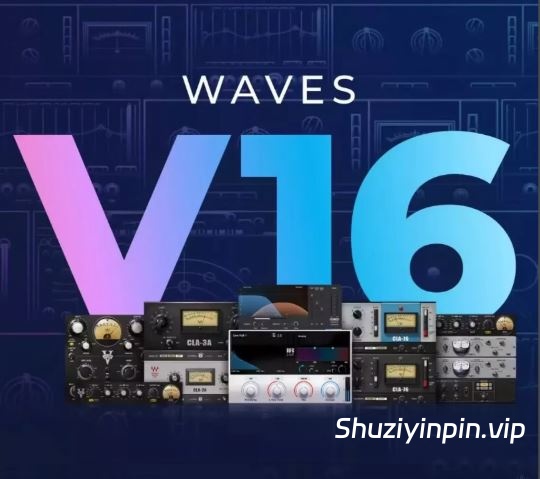
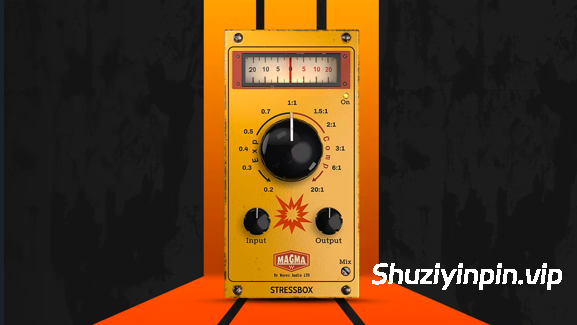
WiN (Incl V.R Patch) | 14 April 2026 | 11.8 GB
macOS | 14 April 2026 | 11.2 GB
特别推荐:
[顶级制作人和混音师Waves插件700多个预设合集]Free Plugin Presets from Top Producers & Mixers
[Waves高质量教程]全插件中文深度解析 完全篇(7.82Gb)
Waves 是全球领先的音频插件和信号处理器开发商,产品面向专业和消费电子音频市场。
发布说明
2026 年 4 月 14 日– 新版本:[Sync Vx](https://www.waves.com/plugins/sync-vx) (16.8.136.297) 现已适用于所有主流 DAW。
– Insert、ARA 或 AudioSuite。 [查看支持的 DAW](https://www.waves.com/plugins/sync-vx#tab-tech-specs|tab-supported-hosts)
– 更新了 GUI
– 修复了多个错误2026 年 4 月 12 日
– Waves Central v16.6.2 现已发布,包含以下更新:
– 修复了多个问题并进行了改进2026 年 3 月 31 日
– 新版本:[ILLUGEN 2.0](https://www.waves.com/illugen) 现已发布,包含以下新功能:
– 全新的“Studio Engine”,显著提升了高保真音质,并提高了提示精度
– 可将声音锁定到调性
– 循环长度控制
– 立体声宽度控制 之前未订阅过 ILLUGEN 的用户目前可免费试用 ILLUGEN 2.0 桌面应用程序 1 个月,并享有完整功能。用户在订阅前可以[在线免费试用](https://www.waves.com/illugen) ILLUGEN 2.0。2026年3月8日
– Waves Central v16.5.7 现已推出 Windows 版本,更新内容如下:
– 修复:网络驱动器存在时,驱动器仍可写入的问题。2026年3月4日
– 更新:[eMotion LV1 Classic](https://www.waves.com/hardware/emotion-lv1-classic) 和 [eMotion LV1](https://www.waves.com/mixers-racks/emotion-lv1) 软件 (v16.5.267.371)
– 修复:混音器窗口中辅助发送指示错误的问题。-
更新 LV1 Classic 服务器固件和 BIOS,以防止连接错误和服务器断开连接。2026年2月22日
– Waves Central v16.5.5 现已发布,更新内容如下:
– 修复:Windows 系统下 Apple VoiceOver 和 NVDA 应用的中央导航错误。
– 修复:LV1 Classic 系统上安装卡住的问题。
– 修复:通知栏滚动问题。
– 提升激活/取消激活流程的性能。
– 其他多项修复和改进。
备注
– 包含 Waves Ultimate 2025.3-VR 补丁
2026年2月4日
热修复更新
– 修复了 [StudioVerse Instruments](https://www.waves.com/plugins/studioverse-instruments) 中的问题:在 StudioVerse Instruments 中加载 Steinberg Groove Agent 插件不会导致宿主 DAW 崩溃。
– 修复了 [Element](https://www.waves.com/plugins/element)、[Codex](https://www.waves.com/plugins/codex) 和 [Flow Motion](https://www.waves.com/plugins/flow-motion-fm-synth) 中的问题:在基于 Intel 的 Mac 系统上,于 FL Studio 中加载这些乐器不会导致宿主崩溃。
– 修复了 [Cosmos](https://www.waves.com/plugins/cosmos-sample-finder) 中的问题:当 DAW 同步开启但时间拉伸关闭时,循环将不会进行时间拉伸。
– 已修复 [InTrigger](https://www.waves.com/plugins/intrigger-drum-replacer) 中的以下问题:
– 当加载已保存且“暂停检测”设置为“开启”且检测模式不是“标准”的插件时,音频输出将处于激活状态。
– 当图表上显示低电平打击时,允许/阻止播放按钮将显示在图表上。
– 已修复 [Spherix Immersive Compressor & Limiter](https://www.waves.com/plugins/spherix-immersive-compressor-limiter) 中的以下问题:已修正 Pro Tools 中 7.1.4 声道路由顺序。
备注
– 包含 Waves Patcher 15.9 U2B – GUISEPPE
– 包含 Waves Ultimate 2025.3-VR
2026年1月19日
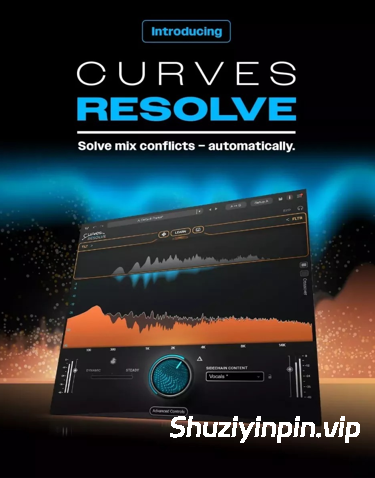
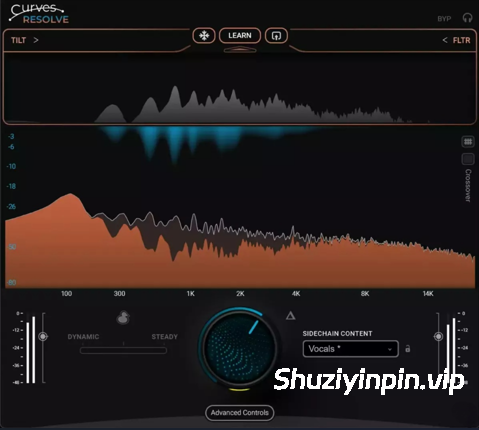
– 新插件:[Curves Resolve](https://www.waves.com/plugins/curves-resolve) — 通过监听您作品中的其他音轨,智能地解决音轨间的频率冲突,并仅在出现冲突时动态地调整空间。
Curves Resolve 可作为独立插件使用,也可包含在 [Waves Essential](https://www.waves.com/subscriptions/essential) 和 [Waves Ultimate 插件订阅](https://www.waves.com/subscriptions/ultimate) 中,或包含在以下套装中:[Mercury](https://www.waves.com/bundles/mercury)、[Pro Show](https://www.waves.com/bundles/pro-show)、[SD7 Pro Show](https://www.waves.com/bundles/sd7-pro-show)。
备注
– 包含 Waves Patcher 15.9 U2B – GUISEPPE
– 包含 Waves Ultimate 2025.3-VR
2025年12月15日
所有Waves插件:全面软件更新至V16
– Waves V16新增功能及改进
– 新增:[Morphoder](https://www.waves.com/plugins/morphoder)重新设计的界面。
– 新增:[Vocal Rider](https://www.waves.com/plugins/vocal-rider)和[Bass Rider](https://www.waves.com/plugins/bass-rider)的高分辨率界面。
– [Chris Lord-Alge Signature Series](https://www.waves.com/bundles/chris-lord-alge-signature-series)新增:可通过插件的汉堡菜单访问模拟噪声开关。
– [CLA-2A](https://www.waves.com/plugins/cla-2a-compressor-limiter)、[CLA-3A](https://www.waves.com/plugins/cla-3a-compressor-limiter)、[CLA-76](https://www.waves.com/plugins/cla-76-compressor-limiter) 和 [V-Comp](https://www.waves.com/plugins/v-comp) 新增功能:LV1 和 SuperRack 默认启用自动增益补偿。
-[CLA Vocals](https://www.waves.com/plugins/cla-vocals) 新增功能:新增 Jbeatzz 预设。
-[CR8](https://www.waves.com/plugins/cr8-creative-sampler) 改进功能:多采样拖放功能现在可以将采样加载到多层配置中。
– [Curves AQ](https://www.waves.com/plugins/curves-aq) 新增功能:支持 Pro Tools AudioSuite 离线工作流程。
-[EMO Q4 Equalizer](https://www.waves.com/plugins/emo-q4-equalizer) 新增功能:现在可以通过触摸屏上的捏合手势控制 Q 值。
-[InTrigger Drum Replacer](https://www.waves.com/plugins/intrigger-drum-replacer) 新增功能:新增“暂停检测”功能,可锁定打击类型检测。
– [Morphoder](https://www.waves.com/plugins/morphoder)、[UltraPitch](https://www.waves.com/plugins/ultrapitch)、[Enigma](https://www.waves.com/plugins/enigma)、[IR1](https://www.waves.com/plugins/ir1-convolution-reverb)、[SuperTap](https://www.waves.com/plugins/supertap)、[H-Reverb](https://www.waves.com/plugins/h-reverb-hybrid-reverb)、[Z-Noise](https://www.waves.com/plugins/z-noise)、[L3-16](https://www.waves.com/plugins/l3-16-multimaximizer)、[Linear Phase EQ](https://www.waves.com/plugins/linear-phase-eq) 的新增功能:双击任意均衡频段即可旋转该频段开启或关闭。
-[PuigChild Compressor](https://www.waves.com/plugins/puigchild-compressor) 新增:现在可以从插件的“汉堡”菜单中锁定输入增益。-
[Waves Harmony](https://www.waves.com/plugins/waves-harmony) 新增:音阶参数现在可以自动化控制。
-改进:Pro Tools 启动时 WaveShell 的加载时间。
-更新:参数文本字段现在接受逗号作为小数分隔符。
-修复所有 Waves 插件中的错误
– 修复:触摸音阶标记时触摸屏参数控件不再跳动。
-修复各个插件中的错误
– 已修复 [Clarity Vx](https://www.waves.com/plugins/clarity-vx)、[Clarity Vx Pro](https://www.waves.com/plugins/clarity-vx-pro)、[Clarity Vx DeReverb](https://www.waves.com/plugins/clarity-vx-dereverb) 和 [Clarity Vx DeReverb Pro](https://www.waves.com/plugins/clarity-vx-dereverb-pro) 中的问题:在某些第三方插件实例化后,插件可以在 VST3 宿主程序中正确加载。
-已修复 [CLA MixHub](https://www.waves.com/plugins/cla-mixhub) 和 [Scheps Omni Channel 2](https://www.waves.com/plugins/scheps-omni-channel) 中的问题:修正了 MIDI 和 FIT 控制器映射。
– 修复了 [COSMOS Sample Finder](https://www.waves.com/plugins/cosmos-sample-finder) 中的以下问题:
– 更改乐器属性后,采样仍保留在列表中。
– 仅扫描 [Illugen](https://www.waves.com/illugen) 文件夹时,采样数量将显示正确。
– 多声道音频文件已正确排除。
– 使用方向键浏览相同文件时,不再导致 GUI 关闭。
– 修复了 [Curves AQ](https://www.waves.com/plugins/curves-aq) 中的以下问题:
– 在 LV1 和 SuperRack 中使用鼠标调整时,自定义节点参数仍然可见。
– 倾斜频率在 SoundGrid 应用中支持触摸滑动操作。
– 启用自动补偿后,低电平输入不再被静音。
– 修复了 [Curves Equator](https://www.waves.com/plugins/curves-equator) 中的以下问题:
– 启用自动补偿后,低电平输入不再被静音。
– 图形分析器电平与实际音频输入匹配。
-已修复 [Doubler](https://www.waves.com/plugins/doubler) 中的问题:声像旋钮现在可以正确响应左右箭头键。
-已修复 [EMO D5](https://www.waves.com/plugins/emo-d5-dynamics) 中的问题:右键单击 MIDI Learn 现在可以正常工作。
-已修复 [Feedback Hunter](https://www.waves.com/plugins/feedback-hunter) 中的问题:控制台重启后插件可以正确加载。
-已修复 [Gemstones](https://www.waves.com/plugins/gemstones) 中的问题:从 [COSMOS Sample Finder](https://www.waves.com/plugins/cosmos-sample-finder) 或 [StudioVerse](https://www.waves.com/studioverse) 登录时,“获取 Gemstones”页面可以正确加载。
– 已修复 [IDX](https://www.waves.com/plugins/idx-intelligent-dynamics) 中的问题:上一个和下一个预设箭头现在可以正确切换预设。
-已修复 [Immersive Wrapper](https://www.waves.com/plugins/immersive-wrapper) 中的问题:修正了 VST3 宿主程序中的通道路由。
-已修复 [InTrigger Drum Replacer](https://www.waves.com/plugins/intrigger-drum-replacer) 中的问题:
– 启用“冻结”功能后保存插件,插件可以正确重新实例化。
-重置检测功能后,“冻结”功能将恢复为关闭状态。
– 修复了 [L4 Ultramaximizer](https://www.waves.com/plugins/l4-ultramaximizer) 中的以下问题:实时组件不再出现在 Logic 扫描中,或触发验证失败。
-修复了 [PRS SuperModels](https://www.waves.com/plugins/prs-supermodels) 中的以下问题:在 SoundGrid 应用中加载会话时,缺失的 IR 提示会正确显示。
-修复了 [Silk Vocal](https://www.waves.com/plugins/silk-vocal) 中的以下问题:高阶 DeEsser/Shelf 参数可自动化。
-修复了 [Abbey Road RS124 Compressor](https://www.waves.com/plugins/abbey-road-rs124-compressor) 中的以下问题:Avid 控制界面的参数映射已修正。
-修复了 [StudioVerse Instruments](https://www.waves.com/plugins/studioverse-instruments) 中的以下问题:按类别排序时,第三方插件会正确显示。
– 已在 [Sync Vx](https://www.waves.com/plugins/sync-vx) 中修复:
– 当 DAW 停止传输时,录制动画也会停止。
-现在在 Pro Tools 中渲染多个轨道时,所有轨道都能正确对齐。
备注
– 包含 Waves Patcher 15.9 U2B – GUISEPPE
– 包含 Waves Ultimate 2025.3-VR
2025年11月13日
– 热修复更新:[L4 Ultramaximizer](https://www.waves.com/plugins/l4-ultramaximizer) v1.0.1
– 初始化稳定性提升。
– 优化过采样行为,启用后声音更干净、更自然。2025年10月27日
– 新:[eMotion LV1 80通道扩展](https://www.waves.com/mixers-racks/emotion-lv1-80-channel-expansion)——扩展LV1现场混音台t80单声道/单声道(160个输入)和52个单声道/磁带扩展器,配备更多t24监听辅助。该可选扩展可作为单独购买的版本购买,适用于任何LV1 64频道混音台(无论是[LV1 Classic](https://www.waves.com/hardware/emotion-lv1-classic)还是基于LV1 64频道软件许可的模块化系统)。
– 更新:[eMotion LV1](https://www.waves.com/mixers-racks/emotion-lv1) v16——LV1 软件的新版本,适用于所有 LV1 混音台(无论是 LV1 Classic 还是基于 LV1 64 频道软件许可的模块化系统),包含以下新功能和改进:
– LV1 Classic 的 DSP 效率提升:同一内部 DSP 单元工作更高效,处理能力也比以前更强。
– 场景与召回安全过滤器:你现在可以决定每个通道哪些参数被召回或设置为安全,无论加载哪个场景。
– 新增用户键和快捷方式:
– 直接映射调音器模式(所有LV1调音台)。
– 专用输入/混音按钮(仅限80通道LV1)。
– 辅助发送翻转和混音模式改进:
– 辅助发送翻转现在可以在所有窗口中设置和控制。
– 声像旋钮现在在发送翻转模式下可作为发送声像,同时仍支持增益和编辑旋钮功能。
– 锁定辅助模式(Latch Aux Mode)即使在其他地方导航时也能保持翻转视角。
– Aux Solo 现在在你解除通道提示时会自动返回 aux 主。
– LV1 v16 的额外改进:
– 你现在可以在会话间导入任意 aux mix。
– 插件菜单新增了插件搜索功能。
– Solo按钮现在闪烁橙色,Cue按钮为纯蓝色——视觉瞬间清晰。
– 输入混合器模式外观更简洁,使A/B输入切换更直观。
– 对路由菜单和导航进行了多项改进,使工作流程更加顺畅。
– 新的键盘增强功能:
– Alt 现在支持即时重置
– 现在可以使用 Ctrl 键进行细粒度参数调整。
– 更新:[eMotion LV1 Classic](https://www.waves.com/hardware/emotion-lv1-classic)推子银行固件 0.4.3:修复了多项漏洞。
– 更新:[eMo IEM](https://www.waves.com/mixers-racks/emo-iem) v16
– 新版本:支持最高 t80 通道的 LV1 配置。
– 新:增加了三通道宽度控制。
– 增强稳定性和各种漏洞修复。
– 更新:[Dugan Speech](https://www.waves.com/mixers-racks/dugan-speech) v16 —— 增强稳定性并修复了多项漏洞。
– 更新:[MyMon](https://www.waves.com/mixers-racks/mymon-personal-monitor-mixing-app) v16
– 新:支持最多80个通道的LV1配置。
– 新增:新增立体声通道宽度控制。
– 改进:集群通道现为根据各自帮派颜色区分颜色。
– MyMon 频道显示控制改进:现在可以按每个混音解隐藏全局隐藏的频道。
– 更新:[MyFOH](https://www.waves.com/mixers-racks/myfoh) v16
– 新:支持最多80个声道的LV1配置。
– 新增:新增立体声通道宽度控制。2025年10月26日
– Waves Central v16.1.5 现已发布,包含以下更新:
– 修复:Waves 清理问题已完全解决。
– 已修复:Avid S6L控制台的离线安装问题。
– 各种修复和改进。2025年10月5日
——Waves Central v16.1.1现已发布,包含以下更新:
– 多项修复和改进。
备注
– 包含 Waves Patcher 15.9 U2B – GUISEPPE
– 包含Waves Ultimate 2025.3-V.R补丁
2025年9月29日
– 全新插件:[L4 Ultramaximizer](https://www.waves.com/plugins/l4-ultramaximizer)——L4 是一款专为现代音乐设计的自适应限制器,它不仅能提供极具竞争力的流媒体音量,更能展现音乐性。L4 提供更强劲的低频、更强劲的瞬态冲击力和更丰富的活力。
L4 Ultramaximizer 可作为独立插件使用,也可包含在 [Waves Ultimate 插件订阅](https://www.waves.com/subscriptions) 或以下套装中:[Mercury](https://www.waves.com/bundles/mercury)、[Live Plus](https://www.waves.com/bundles/live-plus)、[Pro Show](https://www.waves.com/bundles/pro-show)、[SD7 Pro Show](https://www.waves.com/bundles/sd7-pro-show)。
备注
– 包含 Waves Patcher 15.9 U2B – GUISEPPE
– 包含 Waves Ultimate 2025.3-VR
2025 年 8 月 25 日
– 热修复更新:
– 已修复 [Clarity VX](https://www.waves.com/plugins/clarity-vx)、[Clarity VX Pro](https://www.waves.com/plugins/clarity-vx-pro)、[Clarity DeReverb](https://www.waves.com/plugins/clarity-vx-dereverb)、[Clarity DeReverb Pro](https://www.waves.com/plugins/clarity-vx-dereverb-pro) 中的问题:DaVinci Resolve 在实例化时不会崩溃。
– 已修复 [WLM Plus Loudness Meter](https://www.waves.com/plugins/wlm-loudness-meter) 中的问题:True Peak Limiter 仪表不会在峰值降低值处冻结。
– 已在 [IR360](https://www.waves.com/plugins/ir360-convolution-reverb)、[LoAir 5.1](https://www.waves.com/plugins/loair)、[Nx Virtual Mix Room 5.1](https://www.waves.com/plugins/nx)、[UM226](https://www.waves.com/plugins/um225-um226) 中修复:VST3 中的通道顺序显示正确。
– 已在 [Sync VX](https://www.waves.com/plugins/sync-vx) 中修复:在 Pro Tools 中选择重叠区域不再导致崩溃。
备注
– 包含 Waves Patcher 15.9 U2B – GUISEPPE
– 包含 Waves Ultimate 2025.3-VR
2025年8月20日
– 新插件:[Clarix LB](https://www.waves.com/plugins/clarix-lb) – AI驱动的直播语音降噪功能。兼容SoundGrid,适用于SuperRack和eMotion LV1系统。可作为独立插件使用,或通过[Waves Ultimate](https://www.waves.com/subscriptions/ultimate)订阅。
备注
– 包含 Waves Patcher 15.9 U2B – GUISEPPE
– 包含 Waves Ultimate 2025.3-VR
2025年8月6日
– 全新插件:[InTrigger](https://www.waves.com/plugins/intrigger-drum-replacer)——人性化的智能鼓点替换。\
InTrigger 旨在让鼓点替换更快、更轻松、更精准。凭借其智能击打检测引擎,它可以精准地处理幽灵音符和麦克风漏音。只需点击“学习”,InTrigger 就会分析您的演奏,自动检测并分类鼓点。然后,只需分配一个新的采样即可。InTrigger可以作为独立插件使用,也可以包含在 [Mercury](https://www.waves.com/bundles/mercury) 套装或 [Waves Ultimate](https://www.waves.com/subscriptions/ultimate) 订阅中。
备注
– 包含 Waves Patcher 15.9 U2B – GUISEPPE
– 包含 Waves Ultimate 2025.3-VR
2025年6月23日
所有 Waves 插件:全面软件更新至 V16
– Waves V16 的新功能和改进
– 新功能:现在可以通过拖动插件右下角来调整所有 Waves 插件的 GUI 大小。
– 新增:[V-Comp](https://www.waves.com/plugins/v-comp)、[Abbey Road RS124](https://www.waves.com/plugins/abbey-road-rs124-compressor)、[CLA-2A](https://www.waves.com/plugins/cla-2a-compressor-limiter)、[CLA-3A](https://www.waves.com/plugins/cla-3a-compressor-limiter)、[CLA-76](https://www.waves.com/plugins/cla-76-compressor-limiter) 新增自动补偿增益功能。调节”输入”或”峰值降低”旋钮时,可保持一致的输出。
– 新增:重新设计了 [V-Comp](https://www.waves.com/plugins/v-comp)、[V-EQ3](https://www.waves.com/plugins/v-eq3)、[V-EQ4](https://www.waves.com/plugins/v-eq4)、[MaxxBass](https://www.waves.com/plugins/maxxbass)、[IR-Live](https://www.waves.com/plugins/ir-live-convolution-reverb) 的 Hi-DPI 接口。
– [Eddie Kramer 签名系列](https://www.waves.com/bundles/eddie-kramer-signature-series) 新增:模拟噪声开关(可从插件汉堡菜单中访问)。
– 更新:[COSMOS 样本查找器](https://www.waves.com/plugins/cosmos-sample-finder)
– 全新插入插件,可与 DAW 完全同步(独立应用除外)
– 样本试听和预览功能,可根据场景 BPM 和调性自动调整
– 自动对声音相同的音频文件进行分组
– 缩短扫描时间
– 根据您的偏好优化 CPU
– 焕然一新的用户界面
– [IR1](https://www.waves.com/plugins/ir1-convolution-reverb) 改进:可通过 *Ctrl + 点击拖动* 来设置精确的包络断点。
– [RS56](https://www.waves.com/plugins/rs56) 改进:新增平滑算法,可消除参数更改期间的点击伪影。
– 修复个别插件中的错误
– 已修复 [CLA Signature Series](https://www.waves.com/bundles/chris-lord-alge-signature-series) 中的错误:输出电平表现在位于推子后。
– 已修复 [Clarity Vx DeReverb](https://www.waves.com/plugins/clarity-vx-dereverb) 中的错误:打开使用旧版本插件保存的工程时不会崩溃。
– 已修复 [Codex](https://www.waves.com/plugins/codex) 中的错误:导入的波表现在可以正确加载用户预设。
– 已修复 [Curves AQ](https://www.waves.com/plugins/curves-aq) 中的错误:撤消操作仅重置最后一个控制,不会重置输入曲线。
– 已修复 [Curves AQ](https://www.waves.com/plugins/curves-aq)、[CLA Epic](https://www.waves.com/plugins/cla-epic)、[UltraPitch](https://www.waves.com/plugins/ultrapitch)、[Magma Channel Strip](https://www.waves.com/plugins/magma-tube-channel-strip)、[Silk Vocal](https://www.waves.com/plugins/silk-vocal) 中的各种问题:修复了页表映射问题。
– 已修复 [Curves Equator](https://www.waves.com/plugins/curves-equator) 中的各种问题:Ctrl + 左键单击不再使节点独奏。
– 已修复 [Immersive Wrapper](https://www.waves.com/plugins/immersive-wrapper) 中的各种问题:删除包含 Immersive Wrapper 实例的多个轨道时不会发生崩溃。
– 已修复 [PAZ](https://www.waves.com/plugins/paz-analyzer) 中的问题:Graph to Memory 现在可以保存和加载预设。
– 已修复 [PRS SuperModels](https://www.waves.com/plugins/prs-supermodels) 中的问题:IR 加载菜单现在可在 Logic Pro 和 Ableton Live 中正常运行。
– 已修复 [Scheps Omni Channel](https://www.waves.com/plugins/scheps-omni-channel) 中的问题:在 Ableton Live 的插入槽中加载 VST3 插件时不会发生崩溃。
– 已修复 [Silk Vocal](https://www.waves.com/plugins/silk-vocal) 中的问题:现在右键单击独奏按钮可以清除所有独奏。
– 已修复 [StudioVerse Audio Effects](https://www.waves.com/plugins/studioverse-audio-effects) 中的问题:使用 Main Rack ON/OFF 可旁路所有插入槽,包括最后一个。
– 已修复 [StudioVerse Instruments](https://www.waves.com/plugins/studioverse-instruments) 中的问题:所有 MIDI 插件现在都包含”完全重置”预设。
– 已修复 [Sync Vx](https://www.waves.com/plugins/sync-vx) 中的问题:关闭 Sync Vx 编辑窗口后,按下空格键现在将在 Pro Tools 中恢复播放。
– 已修复 [Sync Vx](https://www.waves.com/plugins/sync-vx) 中的问题:焦点返回 Pro Tools 后,键盘命令不再控制插件。
– 已修复 [Sync Vx](https://www.waves.com/plugins/sync-vx) 中的问题:Cubase 中的加载速度更快。
– 已修复 [Waves Tune Real-Time](https://www.waves.com/plugins/waves-tune-real-time) 中的问题:MIDI 学习功能现在可用于”Scale Root-Note”参数。
– Waves Central v16.0.4 现已发布,包含以下更新:
– 所有插件和软件包均可更新并安装 V16。
– 已修复:Central 导览。
– 已修复:修复 V15 安装后进程失败的问题。
– 已修复:进程栏和安装程序不同步的问题。
– 其他各种修复和改进。
备注
– 包含 Waves Patcher 15.9 U2B – GUISEPPE
– 包含 Waves Ultimate 2025.3-VR
Waves is the world’s leading developer of audio plugins and signal processors for the professional and consumer electronics audio markets.
Release Notes
April 14, 2026– New Version: [Sync Vx](https://www.waves.com/plugins/sync-vx) (16.8.136.297) is now available for all major DAWs.
– Insert, ARA or AudioSuite. [See supported DAWs](https://www.waves.com/plugins/sync-vx#tab-tech-specs|tab-supported-hosts)
– Updated GUI
– Various bug fixes have been implementedApril 12, 2026
– Waves Central v16.6.2 is now available with the following updates:
– Various fixes and improvementsMarch 31, 2026
– New Version: [ILLUGEN 2.0](https://www.waves.com/illugen) is now available, with the following new features:
– New “Studio Engine” with dramatically upgraded hi-fidelity sound and with improved prompt accuracy
– Ability to lock sounds to key
– Loop length control
– Stereo width controlUsers who have not previously subscribed to ILLUGEN are currently offered a free 1-month trial of the ILLUGEN 2.0 desktop app with full access. Users can also try ILLUGEN 2.0 for [free online](https://www.waves.com/illugen) before subscribing.March 8, 2026
– Waves Central v16.5.7 is now available for Windows with the following updates:
– Fixed: Drives remain writable while network drive is present.March 4, 2026
– Updated: [eMotion LV1 Classic](https://www.waves.com/hardware/emotion-lv1-classic) and [eMotion LV1](https://www.waves.com/mixers-racks/emotion-lv1) software (v16.5.267.371)
– Fixed: Incorrect Aux Sends indications in the Mixer Window.
– LV1 Classic server firmware and bios updated to prevent connection errors and server disconnection.February 22, 2026
– Waves Central v16.5.5 is now available with the following updates:
– Fixed: Central navigation bug with Apple Voiceover and NVDA application on Windows.
– Fixed: Stuck installation on LV1 Classic system.
– Fixed: Scrolling issue in Notification section.
– Improved activation/eactivation process preformance.
– Various fixes and improvements.
Notes
– Included Waves Ultimate 2025.3-V.R Patch
February 4, 2026
Hotfix update– Fixed in [StudioVerse Instruments](https://www.waves.com/plugins/studioverse-instruments): Loading Steinberg Groove Agent plugin inside StudioVerse Instruments will not crash the host DAW.
– Fixed in [Element](https://www.waves.com/plugins/element), [Codex](https://www.waves.com/plugins/codex) and [Flow Motion](https://www.waves.com/plugins/flow-motion-fm-synth): Loading these instruments on an Intel-based Mac system in FL Studio will not crash the host.
– Fixed in [Cosmos](https://www.waves.com/plugins/cosmos-sample-finder): When time stretch is off while DAW sync is on, the loops will not be time stretched.
– Fixed in [InTrigger](https://www.waves.com/plugins/intrigger-drum-replacer):
– When loading the plugin saved with Suspend Detection “ON” and Detection Mode other than Standard, audio outputs will be active.
– When a low level hit is displayed on the graph the allow/prevent play button will be visible on the graph.
– Fixed in [Spherix Immersive Compressor & Limiter](https://www.waves.com/plugins/spherix-immersive-compressor-limiter): 7.1.4 channel routing order in Pro Tools is corrected.
Notes
– Included Waves Patcher 15.9 U2B – GUISEPPE
– Included Waves Ultimate 2025.3-V.R
January 19, 2026
– New Plugin: [Curves Resolve](https://www.waves.com/plugins/curves-resolve) — solves frequency clashes between tracks, intelligently, by listening to other tracks in your production, and dynamically carving space only when and where there’s a conflict.
Curves Resolve is available as a single plugin, in [Waves Essential](https://www.waves.com/subscriptions/essential) and [Waves Ultimate plugin subscription](https://www.waves.com/subscriptions/ultimate), or within these bundles: [Mercury](https://www.waves.com/bundles/mercury), [Pro Show](https://www.waves.com/bundles/pro-show), [SD7 Pro Show](https://www.waves.com/bundles/sd7-pro-show).
Notes
– Included Waves Patcher 15.9 U2B – GUISEPPE
– Included Waves Ultimate 2025.3-V.R
December 15, 2025
All Waves Plugins: Across-the-board software update to V16
– New Features & Improvements in Waves V16
– New: Redesigned interface for [Morphoder](https://www.waves.com/plugins/morphoder).
– New: Hi-DPI interfaces for [Vocal Rider](https://www.waves.com/plugins/vocal-rider) and [Bass Rider](https://www.waves.com/plugins/bass-rider).
– New in [Chris Lord-Alge Signature Series](https://www.waves.com/bundles/chris-lord-alge-signature-series): Analog Noise On/Off switch, accessible from the plugins’ hamburger menu.
– New in [CLA-2A](https://www.waves.com/plugins/cla-2a-compressor-limiter), [CLA-3A](https://www.waves.com/plugins/cla-3a-compressor-limiter), [CLA-76](https://www.waves.com/plugins/cla-76-compressor-limiter), [V-Comp](https://www.waves.com/plugins/v-comp): Auto Makeup Gain is now on by default in LV1 and SuperRack.
– New in [CLA Vocals](https://www.waves.com/plugins/cla-vocals): New presets from Jbeatzz.
– Improved in [CR8](https://www.waves.com/plugins/cr8-creative-sampler): Multi-sample drag and drop now loads samples into multi-layer configurations.
– New in [Curves AQ](https://www.waves.com/plugins/curves-aq): Supports Pro Tools AudioSuite offline workflow.
– New in [EMO Q4 Equalizer](https://www.waves.com/plugins/emo-q4-equalizer): Q can now be controlled via pinch gestures on touch screens.
– New in [InTrigger Drum Replacer](https://www.waves.com/plugins/intrigger-drum-replacer) – New Suspend Detection feature, locking the Hit Type Detection.
– New in [Morphoder](https://www.waves.com/plugins/morphoder), [UltraPitch](https://www.waves.com/plugins/ultrapitch), [Enigma](https://www.waves.com/plugins/enigma), [IR1](https://www.waves.com/plugins/ir1-convolution-reverb), [SuperTap](https://www.waves.com/plugins/supertap), [H-Reverb](https://www.waves.com/plugins/h-reverb-hybrid-reverb), [Z-Noise](https://www.waves.com/plugins/z-noise), [L3-16](https://www.waves.com/plugins/l3-16-multimaximizer), [Linear Phase EQ](https://www.waves.com/plugins/linear-phase-eq): Double-click any EQ band to turn the band on or off.
– New in [PuigChild Compressor](https://www.waves.com/plugins/puigchild-compressor): Input Gain Lock is now possible from the plugin ‘hamburger’ menu.
– New in [Waves Harmony](https://www.waves.com/plugins/waves-harmony): Scale parameter is now automatable.
– Improved: WaveShell load time during Pro Tools startup.
– Updated: Parameter text fields now accept a comma as a decimal separator.
– Bug fixes in all Waves plugins
– Fixed: Touchscreen parameter control no longer jumps when touching a scale mark.
– Bug Fixes in Individual Plugins
– Fixed in [Clarity Vx](https://www.waves.com/plugins/clarity-vx), [Clarity Vx Pro](https://www.waves.com/plugins/clarity-vx-pro), [Clarity Vx DeReverb](https://www.waves.com/plugins/clarity-vx-dereverb), [Clarity Vx DeReverb Pro](https://www.waves.com/plugins/clarity-vx-dereverb-pro): Plugin loads correctly in VST3 hosts after certain third-party plugins have been instantiated.
– Fixed in [CLA MixHub](https://www.waves.com/plugins/cla-mixhub) and [Scheps Omni Channel 2](https://www.waves.com/plugins/scheps-omni-channel): MIDI and FIT controller mappings corrected.
– Fixed in [COSMOS Sample Finder](https://www.waves.com/plugins/cosmos-sample-finder):
– Samples remain in the list after changing instrument attributes.
– When only [Illugen](https://www.waves.com/illugen) folder is scanned, the number of samples will appear correctly.
– Multichannel audio files are excluded properly.
– Browsing identical files with arrow keys no longer closes the GUI
– Fixed in [Curves AQ](https://www.waves.com/plugins/curves-aq):
– Custom node parameters remain visible when adjusting with the mouse in LV1 and SuperRack.
– Tilt Frequency works with touch-and-slide in SoundGrid apps.
– Low-level input is no longer muted when Auto Makeup is on.
– Fixed in [Curves Equator](https://www.waves.com/plugins/curves-equator):
– Low-level input is no longer muted when Auto Makeup is on.
– Graphic analyzer level matches the actual audio input.
– Fixed in [Doubler](https://www.waves.com/plugins/doubler): Pan knob responds correctly to left and right arrow keys.
– Fixed in [EMO D5](https://www.waves.com/plugins/emo-d5-dynamics): Right-click MIDI Learn now operates as expected.
– Fixed in [Feedback Hunter](https://www.waves.com/plugins/feedback-hunter): Plugin loads correctly after console restart.
– Fixed in [Gemstones](https://www.waves.com/plugins/gemstones): The “Get Gemstones” page loads correctly when logging in from [COSMOS Sample Finder](https://www.waves.com/plugins/cosmos-sample-finder) or [StudioVerse](https://www.waves.com/studioverse).
– Fixed in [IDX](https://www.waves.com/plugins/idx-intelligent-dynamics): Next and Previous preset arrows now advance presets correctly.
– Fixed in [Immersive Wrapper](https://www.waves.com/plugins/immersive-wrapper): Corrected channel routing in VST3 hosts.
– Fixed in [InTrigger Drum Replacer](https://www.waves.com/plugins/intrigger-drum-replacer):
– Plugin re-instantiates correctly when saved with Freeze enabled.
– Freeze resets to off when detection is reset.
– Fixed in [L4 Ultramaximizer](https://www.waves.com/plugins/l4-ultramaximizer): Live component no longer appears in Logic scans or triggers failed validation.
– Fixed in [PRS SuperModels](https://www.waves.com/plugins/prs-supermodels): Missing IR prompt appears correctly when loading sessions in SoundGrid apps.
– Fixed in [Silk Vocal](https://www.waves.com/plugins/silk-vocal): High process DeEsser/Shelf parameter is automatable.
– Fixed in [Abbey Road RS124 Compressor](https://www.waves.com/plugins/abbey-road-rs124-compressor): Correct parameter mapping for Avid control surfaces.
– Fixed in [StudioVerse Instruments](https://www.waves.com/plugins/studioverse-instruments): Third-party plugins appear correctly when sorted by categories.
– Fixed in [Sync Vx](https://www.waves.com/plugins/sync-vx):
– Capture animation stops when DAW transport stops.
– Rendering multiple tracks in Pro Tools now aligns all tracks correctly.
Notes
– Included Waves Patcher 15.9 U2B – GUISEPPE
– Included Waves Ultimate 2025.3-V.R
November 13, 2025
– Hotfix Update: [L4 Ultramaximizer](https://www.waves.com/plugins/l4-ultramaximizer) v1.0.1
– Improved initialization stability.
– Refined oversampling behavior for cleaner, more natural sound when enabled.October 27, 2025
– New: [eMotion LV1 80-Channel Expansion](https://www.waves.com/mixers-racks/emotion-lv1-80-channel-expansion) — Expand the LV1 live mixer t80 mono/sterechannels (160 inputs) and 52 mono/sterebuses with up t24 monitor auxes. This optional expansion is available as a separate purchase tusers of any LV1 64-ch. mixer (whether [LV1 Classic](https://www.waves.com/hardware/emotion-lv1-classic), or modular systems based on an LV1 64-ch. software license).
– Updated: [eMotion LV1](https://www.waves.com/mixers-racks/emotion-lv1) v16 — a new version of LV1 software, available for all LV1 mixers (whether LV1 Classic, or modular systems based on an LV1 64-ch. software license), with the following new features and improvements:
– Enhanced DSP efficiency in LV1 Classic: The same internal DSP unit acts even more efficiently, for even greater processing power than before.
– Scenes & Recall Safe filters: You can now decide which parameters get recalled or are made safe per channel, nmatter what scene is loaded.
– New user keys & shortcuts:
– Direct mapping of Mixer modes (all LV1 mixers).
– Dedicated Input/Mix buttons (80-channel LV1 only).
– Aux Send Flip & Mixer Mode improvements:
– Aux Send Flip can now be set and controlled in the ALL windows.
– The Pan knob now doubles as a Send Pan in Send Flip mode, while still allowing Gain and Edit knob functions.
– Latch Aux Mode keeps you in Flip view, even when navigating elsewhere.
– Aux Solo now automatically returns you to the aux master, when you un‑cue a channel.
– Additional LV1 v16 improvements:
– You can now import any aux mix from session to session.
– Plugin search has been added to the plugin menu.
– The Solo button now blinks orange, while the Cue button is solid blue — for instantly clear visuals.
– Input Mixer mode now has a cleaner look, making A/B input switching more intuitive.
– Various improvements to routing menus and navigation, for smoother a smoother workflow.
– New keyboard enhancements:
– Alt now allows instant reset
– Ctrl can now be used for fine-grained parameter adjustments.
– Updated: [eMotion LV1 Classic](https://www.waves.com/hardware/emotion-lv1-classic) fader bank firmware 0.4.3: Various bug fixes.
– Updated: [eMo IEM](https://www.waves.com/mixers-racks/emo-iem) v16
– New: Support for LV1 configurations of up t80 channels.
– New: Width control for sterechannels added.
– Enhanced stability and various bug fixes.
– Updated: [Dugan Speech](https://www.waves.com/mixers-racks/dugan-speech) v16 — Enhanced stability and various bug fixes.
– Updated: [MyMon](https://www.waves.com/mixers-racks/mymon-personal-monitor-mixing-app) v16
– New: Support for LV1 configurations of up to 80 channels.
– New: Width control for stereo channels added.
– Improved: Ganged channels are now color-coded according to their respective gang colors.
– Improved in MyRemote’s Channel Display Control for MyMon: It is now possible to unhide globally hidden channels on a per-mix basis.
– Updated: [MyFOH](https://www.waves.com/mixers-racks/myfoh) v16
– New: Support for LV1 configurations of up to 80 channels.
– New: Width control for stereo channels added.October 26, 2025
– Waves Central v16.1.5 is now available with the following updates:
– Fixed: Complete Waves Cleanup issue.
– Fixed: Offline installation issue in Avid S6L console.
– Various fixes and improvements.October 5, 2025
– Waves Central v16.1.1 is now available with the following updates:
– Various fixes and improvements.
Notes
– Included Waves Patcher 15.9 U2B – GUISEPPE
– Included Waves Ultimate 2025.3-V.R Patch
September 29, 2025
– New Plugin: [L4 Ultramaximizer](https://www.waves.com/plugins/l4-ultramaximizer) — An adaptive limiter designed for modern music, L4 delivers not just competitive levels for streaming, but also musicality. L4 provides more low end, more transient punch and more life.
L4 Ultramaximizer is available as a single plugin, in [Waves Ultimate plugin subscription](https://www.waves.com/subscriptions), or within these bundles: [Mercury](https://www.waves.com/bundles/mercury), [Live Plus](https://www.waves.com/bundles/live-plus), [Pro Show](https://www.waves.com/bundles/pro-show), [SD7 Pro Show](https://www.waves.com/bundles/sd7-pro-show).
Notes
– Included Waves Patcher 15.9 U2B – GUISEPPE
– Included Waves Ultimate 2025.3-V.R
August 25, 2025
– Hotfix Update:
– Fixed in [Clarity VX](https://www.waves.com/plugins/clarity-vx), [Clarity VX Pro](https://www.waves.com/plugins/clarity-vx-pro), [Clarity DeReverb](https://www.waves.com/plugins/clarity-vx-dereverb), [Clarity DeReverb Pro](https://www.waves.com/plugins/clarity-vx-dereverb-pro): DaVinci Resolve will not crash on instantiation.
– Fixed in [WLM Plus Loudness Meter](https://www.waves.com/plugins/wlm-loudness-meter): The True Peak Limiter meter will not freeze at peak reduction value.
– Fixed in [IR360](https://www.waves.com/plugins/ir360-convolution-reverb), [LoAir 5.1](https://www.waves.com/plugins/loair), [Nx Virtual Mix Room 5.1](https://www.waves.com/plugins/nx), [UM226](https://www.waves.com/plugins/um225-um226): Channel order appears correctly in VST3.
– Fixed in [Sync VX](https://www.waves.com/plugins/sync-vx): Selecting overlapping regions in Pro Tools no longer causes a crash.
Notes
– Included Waves Patcher 15.9 U2B – GUISEPPE
– Included Waves Ultimate 2025.3-V.R
August 20, 2025
– New Plugin: [Clarix LB](https://www.waves.com/plugins/clarix-lb) — AI-powered noise reduction for voice in live broadcast. SoundGrid-compatible for SuperRack and eMotion LV1 systems. Available as a single plugin, or in the [Waves Ultimate](https://www.waves.com/subscriptions/ultimate) subscription.
Notes
– Included Waves Patcher 15.9 U2B – GUISEPPE
– Included Waves Ultimate 2025.3-V.R
August 6, 2025
– New Plugin: [InTrigger](https://www.waves.com/plugins/intrigger-drum-replacer) — smart drum replacement with a human touch.\
InTrigger is designed to make drum replacement faster, easier, and more accurate. With its intelligent hit detection engine, it handles ghost notes and mic bleed with exceptional precision. Just click ‘Learn,’ and InTrigger analyzes your performance, automatically detecting and categorizing drum hits. Then, simply assign a new sample.InTrigger is available as a single plugin, in the [Mercury](https://www.waves.com/bundles/mercury) bundle, or in the [Waves Ultimate](https://www.waves.com/subscriptions/ultimate) subscription.
Notes
– Included Waves Patcher 15.9 U2B – GUISEPPE
– Included Waves Ultimate 2025.3-V.R
June 23, 2025
All Waves Plugins: Across-the-board software update to V16
– New Features & Improvements in Waves V16
– New: GUI can now be resized in every Waves plugin by dragging the lower-right corner of the plugin.
– New: Auto Makeup gain compensation added to [V-Comp](https://www.waves.com/plugins/v-comp), [Abbey Road RS124](https://www.waves.com/plugins/abbey-road-rs124-compressor), [CLA-2A](https://www.waves.com/plugins/cla-2a-compressor-limiter), [CLA-3A](https://www.waves.com/plugins/cla-3a-compressor-limiter), [CLA-76](https://www.waves.com/plugins/cla-76-compressor-limiter). Maintain consistent output as you drive Input or Peak Reduction knobs.
– New: Redesigned Hi-DPI interfaces for [V-Comp](https://www.waves.com/plugins/v-comp), [V-EQ3](https://www.waves.com/plugins/v-eq3), [V-EQ4](https://www.waves.com/plugins/v-eq4), [MaxxBass](https://www.waves.com/plugins/maxxbass), [IR-Live](https://www.waves.com/plugins/ir-live-convolution-reverb).
– New in [Eddie Kramer Signature Series](https://www.waves.com/bundles/eddie-kramer-signature-series): Analog Noise On/Off switch (accessible from the plugin hamburger menu).
– Updated: [COSMOS Sample Finder](https://www.waves.com/plugins/cosmos-sample-finder)
– A new insert plugin with full DAW sync (in addition to the standalone app)
– Sample auditioning & previewing in context, auto-adjusted to session BPM & key
– Automatic grouping of sonically identical audio files
– Reduced scan times
– CPU optimization based on your preferences
– Refreshed user interface
– Improved in [IR1](https://www.waves.com/plugins/ir1-convolution-reverb): Set precise envelope break-points leveled via *Ctrl + click-and-drag*.
– Improved in [RS56](https://www.waves.com/plugins/rs56): A smoothing algorithm is added to eliminate click artifacts during parameter changes.
– Bug Fixes in Individual Plugins
– Fixed in [CLA Signature Series](https://www.waves.com/bundles/chris-lord-alge-signature-series): Output meter is now post-fader.
– Fixed in [Clarity Vx DeReverb](https://www.waves.com/plugins/clarity-vx-dereverb): No crash will occur when opening sessions saved with older plugin versions.
– Fixed in [Codex](https://www.waves.com/plugins/codex): Imported wavetables now load correctly with user presets.
– Fixed in [Curves AQ](https://www.waves.com/plugins/curves-aq): Undo resets only the last control and does not reset the input curve.
– Fixed in [Curves AQ](https://www.waves.com/plugins/curves-aq), [CLA Epic](https://www.waves.com/plugins/cla-epic), [UltraPitch](https://www.waves.com/plugins/ultrapitch), [Magma Channel Strip](https://www.waves.com/plugins/magma-tube-channel-strip), [Silk Vocal](https://www.waves.com/plugins/silk-vocal): Various Page Table Mapping fixes.
– Fixed in [Curves Equator](https://www.waves.com/plugins/curves-equator): Ctrl + Left-click no longer solos a node.
– Fixed in [Immersive Wrapper](https://www.waves.com/plugins/immersive-wrapper): No crash will occur when deleting multiple tracks containing Immersive Wrapper instances.
– Fixed in [PAZ](https://www.waves.com/plugins/paz-analyzer): Graph to Memory now saves and loads with presets.
– Fixed in [PRS SuperModels](https://www.waves.com/plugins/prs-supermodels): IR-loading menu now functions in Logic Pro and Ableton Live.
– Fixed in [Scheps Omni Channel](https://www.waves.com/plugins/scheps-omni-channel): No crash will occur when loading a VST3 plugin into the insert slot in Ableton Live.
– Fixed in [Silk Vocal](https://www.waves.com/plugins/silk-vocal): Right-clicking a solo button now clears all solos.
– Fixed in [StudioVerse Audio Effects](https://www.waves.com/plugins/studioverse-audio-effects): Use the Main Rack ON/OFF to bypass all insert slots, including the last.
– Fixed in [StudioVerse Instruments](https://www.waves.com/plugins/studioverse-instruments): All MIDI plugins now include a Full Reset preset.
– Fixed in [Sync Vx](https://www.waves.com/plugins/sync-vx): Pressing Spacebar will now resume playback in Pro Tools after you close the Sync Vx edit window.
– Fixed in [Sync Vx](https://www.waves.com/plugins/sync-vx): Key commands no longer control the plugin after focus returns to Pro Tools.
– Fixed in [Sync Vx](https://www.waves.com/plugins/sync-vx): Faster loading in Cubase.
– Fixed in [Waves Tune Real-Time](https://www.waves.com/plugins/waves-tune-real-time): MIDI Learn is now available for the Scale Root-Note parameter.
– Waves Central v16.0.4 is now available with the following updates:
– V16 update and installation is available for all plugins and bundles.
– Fixed: Central guided tours.
– Fixed: Repair process failure after V15 installation.
– Fixed: Process bar and installation appearing out of sync.
– Various other fixes and improvements.
Notes
– Included Waves Patcher 15.9 U2B – GUISEPPE
– Included Waves Ultimate 2025.3-V.R
0. 在此处查看系统要求:https://www.waves.com/support/tech-specs/system-requirements#plugins|version-14
1. 进入 1- Installer 文件夹,安装 Waves Central 并运行。
2. 卸载旧版本,在 Waves Central 设置中运行“修复权限”,然后登录 Waves(如果您需要 Studio Verse)。(如有需要,请备份预设和其他数据)
3. 选择“离线安装程序”,然后点击“从离线安装程序安装”
4. 浏览您下载的 Waves 文件夹(位于 1- Installer 文件夹内)
5. 选择 Waves Ultimate 或其他插件和应用程序,然后选择“安装”(取消勾选 SD/HD 格式)
6. 运行 VR 补丁
7. 重启
8. 加载 StudioRack 并登录 Waves 以使用 Studio Verse。
9 完成。
感谢 VR 补丁团队
注意:离线安装遵循 Waves 官方方法。如果安装失败,请访问 https://www.waves.com/support 获取帮助。
Waves 乐器示例库
https://www.waves.com/downloads/sample-libraries
0. 在 Waves 上检查系统要求
1. 前往 1- Installer 文件夹,安装 Waves Central 并运行。
1a. 如果安装卡住,请将以下代码粘贴到终端,以 root 身份运行 Waves Central(输入密码后,Waves Central 将以 root 身份打开)。
终端代码:
sudo /Applications/Waves\ Central.app/Contents/MacOS/Waves\ Central
2. 卸载旧版本,在 Waves Central 设置中运行“修复权限”,然后登录 Waves(如果您需要 Studio Verse)。 (如有需要,请备份预设和其他数据)
3. 选择“离线安装程序”,然后点击“从离线安装程序安装”
4. 浏览您下载的 Waves 文件夹(内部:1 - 安装程序)
5. 选择 Waves Ultimate 或其他插件和应用程序,然后点击“安装”(取消勾选 SD/HD)
6. 应用补丁
7. 重启电脑
8. 从“应用程序/Waves”目录运行 AU reg Utility
10. 加载 StudioRack 并登录 Waves 以使用 Studio Verse。
11 完成。
注意:离线安装遵循 Waves 官方方法。如果安装失败,请访问 https://www.waves.com/support 获取帮助。
Waves 乐器采样库
https://www.waves.com/downloads/sample-libraries
如果之前安装过waves,想要重新安装其他版本,需要把原来电脑上安装的WAVES删除干净, 一定要注意:统统删干净,一个不能留!包括注册表等信息,否则会出现问题。
具体方法:Waves卸载干净的方法[WiN, MacOSX] - 数字音频 (shuziyinpin.vip)
卸载工具:WiN, MacOSX 卸载工具
注:建议使用[卸载工具],特别是Win版[卸载工具]还能自动清理注册表文件,基本上不用手动清理了,非常方便!
![[智能齿音消除器] ApulSoft SplitS v1.1.3 Incl Patched and Regged-R2R [WiN]](https://www.shuziyinpin.vip/wp-content/uploads/2025/10/28102583_apulsoft-splits.jpg)
![[新一代多重效果器插件] Nuro Audio Blockchain v1.2.1 Incl Patched and Keygen-R2R [WiN]](https://www.shuziyinpin.vip/wp-content/uploads/2026/09/nuro-audio-blockchain.jpg)
![[电子管均衡器] Lemur Audio Ester 2 v2.0.22 [WiN, MacOSX]](https://www.shuziyinpin.vip/wp-content/uploads/2026/09/Lemur-Audio-Ester.png)
![[迄今为止最先进的人声处理通道条] Nuro Audio Xvox v1.1.5 Incl Patched and Keygen-R2R [WiN]](https://www.shuziyinpin.vip/wp-content/uploads/2026/09/nuro-audio-xvox.jpeg)
![[终极人声混音套件] Nuro Audio Xvox Pro v1.5.2 Incl Patched and Keygen-R2R [WiN]](https://www.shuziyinpin.vip/wp-content/uploads/2025/05/9a5dd46eef314ea8c074f5c3a409f6c4.jpeg)
![[SnowTec 全套效果器合集] SnowTec Full Bundle v2026.09.28-itUsed [WiN]](https://www.shuziyinpin.vip/wp-content/uploads/2026/09/SnowTec-Full-Bundle-v2026.png)

评论24