
FREE | WiN MAC LiNUX | 11.5 MB

安装方法:
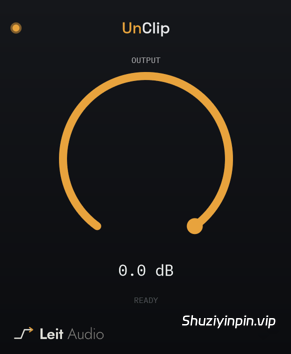
削波修复。UnClip可以修复因硬数字削波而损坏的短峰值。它能检测平顶过载,重建受损区域的合理波形,并仅修改被识别为削波的采样点。无需设置阈值或修复量——只需将其插入受损音轨,根据需要增加输出动态余量,然后让它自动运行即可。
01. 查找低于 0 dBFS 的削波
UnClip 会查找硬削波的形状,而不是假设损伤位于 0 dBFS,因此它仍然可以识别被削波后又被衰减的峰值。
02. 重建曲线:
已接受的平顶峰值会根据其周围的干净样本进行重建。只有被识别为削波的样本才会写回输出。
03. 修复后留出空间:
如果您需要在均衡、压缩、饱和或导出之前为修复后的峰值留出动态余量,输出会将重建的信号修剪最多 24 dB。
Clipping restoration. UnClip repairs short peaks damaged by hard digital clipping. It detects flat-topped overloads, reconstructs a plausible waveform through the damaged area, and changes only the samples it identifies as clipped. There is no threshold or repair amount to set — insert it on the damaged track, create output headroom if needed, and let it work.
01. Find clipping below 0 dBFS
UnClip looks for the shape of hard clipping instead of assuming the damage sits at 0 dBFS, so it can still recognize peaks that were clipped and turned down later.
02. Rebuild the curve
Accepted flat-topped peaks are reconstructed from the clean samples around them. Only the samples identified as clipped are written back to the output.
03. Make room after repair
Output trims the reconstructed signal by up to 24 dB when you need headroom for repaired peaks before EQ, compression, saturation, or export.
![[简易采样加载插件] AtlasDSP Replacer v1.0 [WiN, MacOSX]](https://www.shuziyinpin.vip/wp-content/uploads/2026/10/AtlasDSP-Replacer.png)
![[全球最佳 DJ 软件] Serato DJ Pro Suite v5.0.0-V.R [WiN, MacOSX]](https://www.shuziyinpin.vip/wp-content/uploads/2025/11/Serato-DJ-Pro-Suite-v4.0.0-1024x633.png)
![[完整版:最好的合成器之一] Native Instruments Absynth v6.2.1 [WiN, MacOSX]](https://www.shuziyinpin.vip/wp-content/uploads/2026/10/Absynth-v6.2.0.png)
![[现场演奏乐器] Beatsurfing Druw v1.0.1 VST Incl. Keymaker-RLTS [WiN]](https://www.shuziyinpin.vip/wp-content/uploads/2026/10/beatsurfing-druw.jpg)
![[ PAA 音频套装] PAA Audio Bundle v2026.10 Patched Incl. Keygen-MOCHA [WiN]](https://www.shuziyinpin.vip/wp-content/uploads/2026/10/PAA-Bundle.jpg)
![[环绕延迟插件] The Cargo Cult Slapper Bundle v3.0.19 [MacOSX]](https://www.shuziyinpin.vip/wp-content/uploads/2024/12/the-cargo-cult-slapper-bundle.png)

评论0