
关联资源
[不断更新:20多套全家桶]iZotope系列插件完整套装 [WiN, MacOSX]
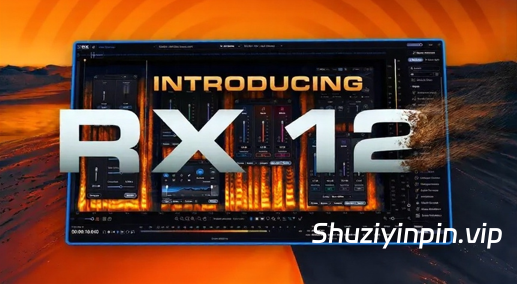
WiN:Team V.R | 21 October 2026 | AAX, VST3, ARA, SAL | 1,5 GB
Mac(U2B):P2P | 21 October 2026 | 3.6 GB
安装方法:WiN版,只需安装,尽情享受!Mac版,安装 RX 并替换补丁文件,然后对其进行签名。
屡获殊荣的音频修复软件
RX 12 Advanced 可修复所有瑕疵,是您拯救对话、避免后期配音 (ADR) 和挽救场景所需的一切。这款拥有 50 多种工具的完整音频修复软件,是后期制作的行业标准,助您修复看似无法修复的瑕疵。凭借智能新功能、升级模块和屡获殊荣的生态系统,RX 12 Advanced 将精准度与闪电般的速度完美融合。节省宝贵的场景混音重新平衡时间,解锁每个模块的全新细节深度,以及更多精彩功能。
让您的音频完美无瑕。
数十年来,RX 不断突破音频编辑和修复的极限,让每个场景、歌曲和故事都焕发出魔力。RX 12 采用开创性的机器学习技术,是无数奥斯卡奖、格莱美奖和艾美奖的幕后功臣,并荣获技术奥斯卡奖、工程艾美奖等多项大奖。
RX 12 的新功能有哪些?
全新模块:
使用全新的“场景重新平衡”模块,在后期制作中独立调整对话、音乐和音效;使用“静音修剪”模块,快速管理长音频文件。
更深入的控制:
使用“分轨视图”(通过“场景重平衡”、“音乐重平衡”或“对话隔离”)将音频可视化地分割成多个分轨,然后将任何 RX 工具精确地应用到所需位置。
更佳的效果,更快的速度:
更新的神经网络、全新的实时插件、采用尖端机器学习技术重建的经典功能——全新的 RX 12 工具包让获得水晶般清晰的音频比以往任何时候都更加轻松。
全面革新的体验:
使用更大的默认频谱图进行更精细的编辑,使用全新的模块搜索功能跳过繁琐的菜单操作,使用可调整大小的“历史记录”面板轻松追踪您的操作步骤,以及更多功能。
版本 12.1.0 发布于 2026 年 10 月 15 日
改进和更新:
修复 macOS Tahoe 系统上内联编辑字段中文本被遮挡或重叠的问题;
修复 Logic Pro 中 RX Dialogue Isolate 插件在隐藏/显示后展开的高级面板为空的问题(仅限原生版本);
修复 Windows 系统上 Fender Studio Pro 8 中 RX Spectral Editor ARA 错误显示“不支持的宿主程序”消息的问题;
修复 Windows 系统上 Fender Studio Pro 8 中 RX Connect 错误显示“正在捕获音频”消息的问题;
修复 RX 应用程序中的 Stem 标签页在打开其他文件并导出 Stem 后重新打开时可能会丢失的问题;
新增:支持 BorisFX 许可证激活方式;
新增:常规维护更新;
更改:产品和安装程序中的品牌标识
Award-winning audio restoration software to fix every flaw
RX 12 Advanced is everything you need to rescue dialogue, avoid ADR, and save the scene. Fix the unfixable with our complete 50+ tool audio restoration software, the industry standard for post. Blend surgical precision with lightning speed thanks to intelligent new features, upgraded modules, and an award-winning ecosystem. Save precious time rebalancing scene mixes, unlock new depths of detail for every module, and much more.
Your audio, made flawless
For decades, RX has pushed what’s possible in audio editing and restoration – bringing out the magic in every scene, song, and story. Powered by pioneering machine learning tech, it’s the supporting star behind countless Oscars, GRAMMYs, and Emmys, the winner of technical Academy Awards, Engineering Emmys, and more.
What’s new in RX 12?
Brand-new modules
Independently adjust dialogue, music, and effects in post production with the new Scene Rebalance module, and manage long audio files in a flash with Trim Silence.
Deeper control
Visually split your audio into stems with Stems View (via Scene Rebalance, Music Rebalance, or Dialogue Isolate), then apply any RX tool exactly where you need it.
Better results, faster
Updated neural nets, new realtime plugins, rebuilt fan-favorites with cutting-edge machine learning – the new RX 12 toolkit makes crystal-clear audio easier than ever.
Overhauled experience
Make finer edits with a larger default spectrogram, skip menu diving with a new module search, easily trace your steps with a resizable History panel, and much more.
Version 12.1.0 released October 15, 2026
Improvements and Updates:
FIXED Obscured or overlapping text within inline edit fields on macOS Tahoe
FIXED Expanded advanced panel is empty in RX Dialogue Isolate plugin after hide/show in Logic Pro (native only)
FIXED RX Spectral Editor ARA incorrectly shows unsupported host message in Fender Studio Pro 8 on Windows
FIXED RX Connect incorrectly shows “Capturing audio” message in Fender Studio Pro 8 on Windows
FIXED Stem tabs in RX app can be lost upon reopen after some combination of opening other files and exporting stems
ADDED Support for BorisFX license activation method
ADDED General maintenance updates
CHANGED Branding in product and installer
![[音调平衡控制母带处理工具] iZotope Tonal Balance Control v3.4.0-V.R [WiN]](https://www.shuziyinpin.vip/wp-content/uploads/2026/03/izotope-tonal-balance-control-3.png)
![[臭氧母带处理插件] iZotope Ozone 12 Advanced v12.2.0-VR [WiN]](https://www.shuziyinpin.vip/wp-content/uploads/2025/09/Ozone-12-v12.0.2.png)
![[创意混音和母带处理可视化工具合集] Orra Audio Plugins Bundle 2026.10 Incl. Keygen-MOCHA [WiN]](https://www.shuziyinpin.vip/wp-content/uploads/2026/10/Orra-Audio.png)
![[超速驱动增强器] Stereo Lemon PHAT v1.7.3 Patched Incl. Keygen-MOCHA [WiN]](https://www.shuziyinpin.vip/wp-content/uploads/2026/10/屏幕截图-2026-10-21-132334.png)
![[专业DJ演奏工具] Algoriddim djay Pro 5.6.10-TNT [MacOSX]](https://www.shuziyinpin.vip/wp-content/uploads/2024/10/14122315_algoriddim-djay-pro.png)
![[完整版:最好的合成器之一] Native Instruments Absynth v6.2.0-V.R [WiN, MacOSX]](https://www.shuziyinpin.vip/wp-content/uploads/2026/10/Absynth-v6.2.0.png)

评论0