
关联资源
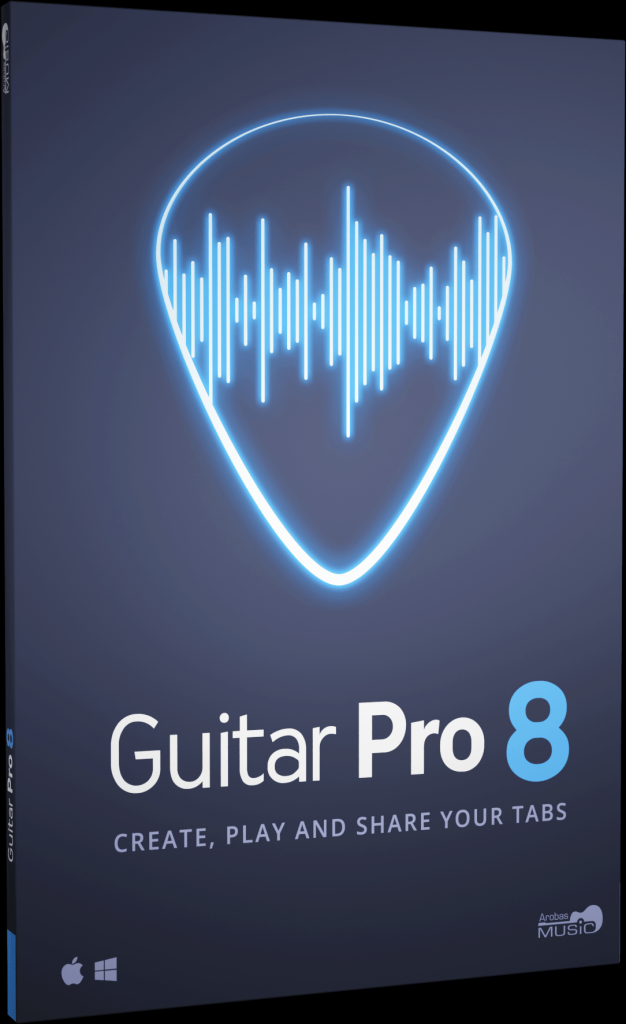
[吉他打谱辅助工具] Guitar Pro 8.1.5.26 (x64) Multilingual [WiN]
特别推荐
GTP谱汇总 [近十万首]
[吉他电子谱合集]Arobas Music Guitar Pro 90000 Tabs Pack(194MB)
Antibiotics | July 2026 | 1 GB
安装方法:
Guitar Pro 是一款软件程序,允许所有音乐家阅读、编写和分享他们的吉他谱。该软件兼容多种乐器,例如吉他、鼓、贝斯、钢琴、尤克里里等等!您可以为每种乐器制作吉他谱,滚动浏览乐谱,创作音乐,并使用许多教学工具,例如和弦词典或音阶库。此外,它还提供移调功能,方便您将歌曲从一种乐器转录到另一种乐器。
Guitar Pro 8 – 新增功能
尽情练习
使用音频文件(例如歌曲或伴奏)跟随乐谱演奏。相对速度和微调模式也与音频轨道兼容。
轻松编辑
将音频文件与乐谱同步,轻松转录歌曲。
分享您的知识
插入包含您为音乐学生或乐队成员录制的教学指导的音频文件。
聚焦/取消聚焦轨道
快速放大或衰减选定的轨道,与其他轨道形成音量对比。
使用可视化节拍器
练习节奏 全新的可视化节拍器和倒计时显示在液晶屏幕上,助您轻松练习。
固定速度
忽略乐谱中的速度变化和自动化设置,轻松学习新歌和乐段。
调整相对速度
播放过程中,按 +/- 键可加快或减慢歌曲的相对速度或固定速度。
锁定线路输入的声音
现在,您可以使用线路输入锁定预设,在切换曲目甚至关闭文件时保持相同的声音。
精确调整声音
自定义乐谱中每个音符的持续时间、偏移量和相对速度。
混合鼓组
通过设置每个元素的音量和声像,调整鼓组和打击乐音轨的声音。
演奏乐谱时预听音色库
将鼠标悬停在声音预设上,即可在乐谱播放时获得音频预览。
全新设计选项
移动和调整每个节拍的位置。使用自动辅助线轻松对齐小节。
新增样式表选项:
设置乐谱标题中和弦图、和弦系统、五线谱和音阶图的间距。
自定义音乐符号的字体。
编辑众多乐谱标记的字体和文本,例如:闷音、拍弦、拨弦、扫弦、拨片刮弦等等。
音阶图:
编辑并插入适用于 3 至 10 弦、最多 24 品吉他的音阶图。通过更改代表音符的点的形状、颜色和文本来自定义图表,并更改图表在乐谱上的方向。
嵌套连音符
现在,您可以在连音符中嵌套连音符,从而创建复杂的节奏模式。
钢琴指法:
编辑钢琴指法并指示延音踏板。
提升您的效率:
命令面板就像是功能强大的快捷键!快速直接地访问 Guitar Pro 的乐谱选项,编辑您的乐谱,大幅提升您的效率!
数十种可用命令:
使用“表情文字”工具,轻松选择并向乐谱添加和弦和方向。在“操作列表”中快速浏览 Guitar Pro 的主要功能,并使用它们来编辑您的乐谱。
筛选器:
在 mySongBook 歌曲列表中应用 3 个筛选器,按流派、乐器/级别和类型对乐谱进行排序。
音频轨道:
使用我们增强的乐谱库学习歌曲。直接在 mySongBook 标签页中欣赏音频轨道,轻松学习并与您的文件一起演奏。
以及更多改进……
优化的界面:
界面对比度和颜色已进行调整,为您提供更舒适的阅读体验。
Apple Silicon 优化:
Guitar Pro 8 在搭载 Apple Silicon 的 Mac 上效率更高。
自定义导出:
选择 PDF 和 PNG 文件的分辨率。以透明背景的 PNG 格式导出乐谱。
享受高品质音色库。
音色库的准确性和动态范围已得到修正和改进。
和弦移调。
和弦现在会按其名称和指法进行移调。
整理您的文件。
为了更轻松地找到您正在处理的文件,请将其固定到主页的“最近”部分。
更多功能!
– 编辑颤音杆上的四分之一音
– 显示鼓的斜线记谱法和标准乐谱
– 显示临时记号
– 使用十进制速度
– 全音阶移调
– 整体性能提升
Guitar Pro is a software program that allows all musicians to read, write and share their tablatures. The software is compatible with many instruments such as guitar, drums, bass, piano, ukulele and many others! You can make tablatures for each instrument, scroll the music score, write your music and use many pedagogical tools such as a chord dictionary or a scale library. Transposition features are also available to easily transcribe your songs from one instrument to another.
Guitar Pro 8 – What’s New
Enjoy practicing
Play along your score with an audio file such as a song or a backing track. Relative tempo and detune mode are also compatible with the audio track.
Edit easily
Synchronize your audio file with your score to transcribe songs easily.
Share your knowledge
Insert an audio file containing a recording of your teaching instructions for your music students or your band members.
Focus/Unfocus track
Quickly amplify or attenuate the selected track to create a volume contrast with the other tracks.
Work on your rhythm with the visual metronome
Play with the new visual metronome and countdown displayed over the LCD screen.
Fix the tempo
Ignore tempo changes and automations in the score to easily learn new songs and riffs.
Change the relative speed
Press +/- keys to speed up or slow down the relative speed or fixed tempo of your song during the playback.
Lock the sound of the line-in
You can now lock your preset using the line-in to keep the same sound while changing tracks or even when you close a file.
Adjust the sound precisely
Customize the duration, the offset and the relative velocity of each note of your score.
Mix the drum set
Adjust the sound of the drum set and percussion tracks by setting the volume and pan of each element.
Pre-listen to the soundbanks while playing your tabs
Mouse over the sound presets to get an audio preview while your score is playing.
New design options
Move and adjust the placement of each beat. Align the bars easily with the automatic guideline.
New Stylesheet options
Set the spacing of the chords diagram in the score header, the systems, the staff and the scale diagrams.
Customize the font of the music symbols.
Edit the font and text of numerous score indications like: palm muting, slap, pop, rasgueado, pick scrape and more.
Scale diagrams
Edit and insert scale diagrams in your scores for guitars from 3 to 10 strings and up to 24 frets. Customize the diagrams by changing the shape, color and text of the dots representing the notes, and change the orientation of the diagram on your scores.
Nested tuplets
You can now create tuplets inside tuplets to create complex rhythmic patterns.
Piano fingering
Edit piano fingering and indicate sustain piano pedal.
Increase your productivity
The command palette is like shortcuts on steroids! Get quick and direct access to Guitar Pro’s notation options to edit your scores and boost your productivity massively!
Dozens of commands available
Select and easily add chords and directions to your score with the “Expression Text” tool. Quickly go through Guitar Pro main features in the “Action List” and use them to edit your scores.
Filters
Apply 3 filters on the mySongBook song list to sort out the scores by genres, instruments/levels and types.
Audio tracks
Learn songs with our enhanced tab library. Enjoy audio tracks directly in your mySongBook tabs to learn easily and play along with your files.
And many more improvements…
Optimized interface
The contrast and colors of the interface have been adjusted to offer you a better reading comfort.
Apple Silicon optimization
Guitar Pro 8 benefits from an improved efficiency on Mac with Apple Silicon.
Customize your exports
Choose the resolution of your PDF and PNG. Export your scores in PNG with transparent backgrounds.
Enjoy quality soundbanks
The accuracy and dynamics of the soundbanks have been corrected and improved.
Chords transposition
Chords are now transposed with their names and fingerings.
Organize your files
To find the files you are working on more easily, pin them in the recent section of the homepage.
And more!
– Edit quarter tones on tremolo bar
– Show slash notation for drums and standard music notation
– Show cautionary accidentals
– Use decimal tempo
– Diatonic transposition
– Overall improved performance
![[建模钢琴插件] Modartt Pianoteq Pro v9.2.1 ARM-Orpheus [MacOSX]](https://www.shuziyinpin.vip/wp-content/uploads/2026/03/modartt-pianoteq-pro.png)
![[多乐器与声音设计引擎] Wavescrate Terrain v1.0.0-L O S T [MacOSX]](https://www.shuziyinpin.vip/wp-content/uploads/2026/10/Wavescrate-Terrain.png)
![[键盘音色合集插件] Arturia Analog Lab V Pro v5.12.6-L O S T [MacOSX]](https://www.shuziyinpin.vip/wp-content/uploads/2026/10/Arturia-Analog-Lab-V-Pro-v5.12.6.png)
![[简易采样加载插件] AtlasDSP Replacer v1.0 [WiN, MacOSX]](https://www.shuziyinpin.vip/wp-content/uploads/2026/10/AtlasDSP-Replacer.png)
![[全球最佳 DJ 软件] Serato DJ Pro Suite v5.0.0-V.R [WiN, MacOSX]](https://www.shuziyinpin.vip/wp-content/uploads/2025/11/Serato-DJ-Pro-Suite-v4.0.0-1024x633.png)
![[自动削波修复插件] Leit Audio UnClip v1.0.0 VST3 AU [WiN, MacOSX, LiNUX]](https://www.shuziyinpin.vip/wp-content/uploads/2026/10/Leit-Audio-UnClip.png)

评论2